

What Is Figma in Freelance Graphic Designing?
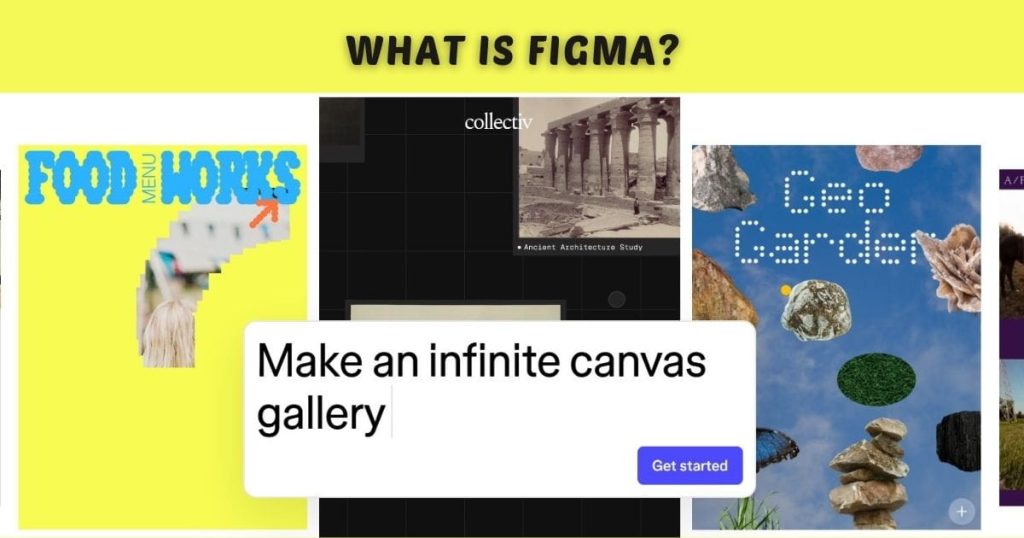
Figma is a cloud-based design and prototyping tool trusted by freelance designers, UI/UX professionals, and creative teams. Unlike traditional desktop software, it runs entirely in the browser, allowing access from any device without installation.
Figma lets designers create, prototype, and collaborate in real time, making it ideal for remote freelance work. From simple wire frames to interactive app designs and complex website interfaces, it handles projects of any scale.
Freelance designers use Figma daily for several reasons:
- Real-time collaboration with clients and team members.
- Cross-platform accessibility on Windows, macOS, Linux, or a browser.
- Integration with project management and productivity tools.
Compared to alternatives such as Adobe XD and Sketch, Figma’s seamless collaboration, intuitive interface, and flexibility make it the go-to daily tool for freelancers seeking speed, quality, and efficiency.
Core Features of Figma
Figma’s popularity among freelance designers isn’t accidental; it’s packed with features that make daily work easier and more productive.
1. Real-Time Collaboration
Figma allows multiple users to work on a design simultaneously. Freelancers can:
- Invite clients to view or comment on designs.
- Collaborate with other designers or developers.
- Receive instant feedback without long email threads.
This feature is particularly valuable for remote freelancers, reducing delays and improving project turnaround time.
2. Vector Editing Tools
Figma provides advanced vector editing capabilities that let designers create precise icons, logos, illustrations, and interface elements. Unlike raster-based programs, vector graphics remain sharp at any size, making designs versatile for web, mobile, or print.
3. Prototyping
Freelance designers can create interactive prototypes directly within Figma. Instead of using multiple apps, they can:
- Link screens with clickable buttons.
- Simulate app navigation for clients.
- Test user flows before development begins.
Prototyping in Figma saves time and ensures clients understand the design intent before coding starts.
4. Components and Styles
Components allow freelancers to reuse design elements like buttons, icons, or headers across projects. Styles manage colors, fonts, and text properties consistently. These features:
- Ensure brand consistency across client projects.
- Save hours of repetitive work.
- Make updates easy: change a component once, and it updates everywhere.
5. Plugins and Integrations
Figma supports plugins that enhance functionality. Popular plugins for freelancers include:
- Icons8 – Quickly access high-quality icons.
- Content Reel – Add placeholder text and images.
- Unsplash – Free stock images for quick mockups.
Plugins streamline workflows, making daily tasks faster and more efficient.
How Freelance Designers Use Figma Daily?
Freelancers rely on Figma every day for various tasks. A typical daily workflow might look like this:
- Review Client Briefs: Open Figma projects and review notes or previous iterations.
- Wire framing: Quickly sketch the layout of websites or apps using Figma’s vector tools.
- Designing UI/UX Elements: Create buttons, forms, icons, and other interactive elements.
- Prototyping: Link screens and test the flow of user interaction.
- Collaboration: Share projects with clients for live feedback, reducing email back-and-forth.
- Exporting Assets: Deliver optimized images, icons, and design files directly for developers.
By using Figma daily, freelancers can handle multiple projects efficiently while maintaining high-quality output.
Benefits of Using Figma Daily
1. Faster Workflow
With Figma’s intuitive interface and real-time collaboration, freelancers can complete projects faster than ever. Tasks like revisions, feedback, and prototyping happen in one platform, cutting down project turnaround time significantly.
2. Cloud-Based Convenience
Figma’s cloud-based platform lets freelance designers access projects from any device. Whether on a client call, at home, or in a café, you can work seamlessly, make updates in real time, and keep projects moving without interruptions.
3. Enhanced Collaboration
Clients and developers can view designs, leave comments, or inspect elements without extra software. This improves communication and reduces misunderstandings, making projects smoother and deadlines easier to meet.
4. Cost-Effective
Figma offers a free plan with core functionality, ideal for beginners and solo freelancers. Paid plans unlock advanced features but are still more affordable compared to other professional-grade software like Adobe XD or Sketch.
5. Consistency and Professionalism
Figma’s components, reusable styles, and plugins help maintain brand consistency and deliver professional-quality designs, enabling freelancers to build a polished portfolio and consistently impress clients.
Tips for Maximizing Figma as a Freelancer
- Organize Projects: Clearly name files and use folders to keep your work structured and easy to navigate.
- Use Components Effectively: Reuse UI elements to save time and maintain design consistency across projects.
- Leverage Plugins: Automate repetitive tasks like adding icons, placeholders, or charts to speed up workflow.
- Collaborate in Real Time: Invite clients or teammates to comment directly on designs for faster, smoother feedback.
- Stay Updated: Keep up with Figma’s new features to take full advantage of improvements and stay ahead in your workflow.
Pricing and Accessibility
Figma offers flexible pricing plans that suit the needs of freelance designers at any stage. The Free Plan gives beginners access to core features, allowing them to start designing without any cost. For freelancers handling multiple projects, the Professional Plan at $12/month unlocks unlimited projects, version history, and advanced collaboration tools.
The Organization Plan, priced at $45/month per editor, is ideal for larger teams and agencies needing more control and shared resources. Compared to other design tools, Figma is cost-effective, giving freelance designers powerful daily functionality without breaking the budget. Its cloud-based access and intuitive interface make it easy to work from anywhere, ensuring productivity and flexibility every day.
Figma in Freelance Graphic Design: Examples
Emma, a UI Designer, relies on Figma every day to design mobile app interfaces for startups. She shares interactive prototypes with clients, allowing them to give instant feedback and speeding up the revision process. James, a Freelance Web Designer, uses Figma to create landing pages and website layouts.
Its real-time collaboration and intuitive tools help him deliver projects faster and get client approvals without delays. Sofia, a Graphic Illustrator, takes advantage of Figma’s plugins for icons, stock images, and charts. This streamlines her workflow for social media campaigns, letting her produce polished visuals quickly and efficiently.
These real-world examples show how Figma has become an essential daily tool for freelance designers, helping them save time, collaborate better, and produce professional-quality designs consistently.
Sum Up
Figma has become an essential tool for many professionals working in Freelance Graphic Designing. Since it’s cloud-based, designers can access their projects from anywhere, share designs instantly, and collaborate with clients in real time. Its simple interface, strong design features, and useful plugins help freelancers manage multiple projects while maintaining consistent quality and faster turnaround times.
Using Figma daily allows freelance designers to create professional designs, collect feedback quickly, and make edits without complicated file sharing. This makes the overall workflow smoother and saves valuable time.
However, successful Freelance Graphic Designing also requires good project organization. That’s where productivity tools like ClickUp can help. By managing tasks, deadlines, and client communication in one place, ClickUp keeps freelance projects organized.
When you combine a powerful design tool like Figma with a project management platform like ClickUp, it becomes easier to stay productive, organized, and focused on delivering great design work.








Leave a Reply