
An AI colouring page generator lets you create personalised colouring books in minutes using just a few simple words. Thanks to artificial intelligence, this creative process is now easier than ever. Whether you’re a parent looking for fun activities for your kids, a teacher designing engaging lessons, or a hobbyist who loves arts and crafts, a colouring page generator makes it simple to produce beautiful, ready-to-print pages.
With a name colouring page generator or other specialised tools, you can craft custom designs that feel truly unique. These AI colouring page generators adapt to your ideas and preferences, generating AI-generated colouring pages that are perfect for both entertainment and educational purposes.
In this guide, we’ll explore the most effective free AI colouring page generators for 2026, explain how they work, and show why they are transforming the way we approach creative activities. You don’t need to be an artist or spend hours drawing; these tools help you produce gorgeous colouring pages quickly, easily, and without stress.
By the end, you’ll have everything you need to unleash your imagination and create fun, personalised colouring pages like never before.
➜ What Is an AI Colouring Page Generator?
An AI colouring page generator is a program that makes colouring pages easy and enjoyable. It converts your photographs, drawings, or even just an idea into clean, simple line art that you can colour.
It uses advanced algorithms to detect edges, simplify forms, and remove unnecessary features, transforming what may have been a complex image into a clean, printable colouring page. These features save time, allow you to personalise your pages, and make colouring accessible to anyone, whether you’re a parent, teacher, or hobbyist.
1. How AI Converts Images to Line Art
Understand how AI simplifies images; these models evaluate each pixel for edges and outlines. They locate and isolate the major aspects of the image from the backdrop, allowing the principal subjects to stand out clearly. By reducing extraneous elements and clutter, the image becomes cleaner, simpler, and more enjoyable to colour.
2. How AI Simplifies Drawings
Instead of spending hours tracing or sketching by hand, AI does the heavy lifting for you. It simplifies photos while retaining all of the crucial details, resulting in perfectly shaped and recognisable characters.
This makes colouring accessible and enjoyable for everyone, even children and beginners, without causing frustration or overwhelm. You get stunning, ready-to-use pages in minutes, allowing you to concentrate on creativity and enjoyment rather than laborious tasks.
3. How AI Generates Printable Sheets
Once the image has been simplified, the AI will give it in a print-ready format, typically as a PDF or PNG. Many applications go a step further, allowing you to combine multiple pages into a full colouring book with a few clicks. This means you can easily produce personalised, professional-looking colouring books ideal for children, classes, or even gifts with minimal effort.
Big Players Behind the Tools
Some of the technology behind these products is inspired by key players in AI and imaging, such as OpenAI, which develops advanced text-to-image models, and Adobe, which creates creative image editing software. While you may not have to interface directly with these companies, their innovations affect how AI colouring apps work.
➜ How AI Simplifies Images for Colouring Activities
Have you ever pondered how difficult images can suddenly become easy and enjoyable to colour? AI’s power resides in its capacity to simplify pictures while maintaining their recognisable quality. This is how it works.
Edge Detection
AI first looks for edges and boundaries in your image. These borders are transformed into distinct outlines for colouring, making each shape easy to identify and fill in. In this manner, even complex designs become simple and pleasurable to colour.
Line Extraction
But AI does more than just find edges. It smoothes and refines them, resulting in crisp, regular lines that appear to have been hand-drawn. The end effect is a clean, easy-to-colour image that adds to the overall satisfaction and enjoyment of colouring.
Background Removal
Backgrounds and other details can make colouring appear disorganised or overbearing. AI handles this by automatically removing distractions, leaving just the core topics. This keeps your papers clean and basic, making colouring more pleasurable.
Contrast Adjustment
AI also increases contrast, making lines crisper and more noticeable. This allows both children and adults to stay within the lines, making colouring easier, more exact, and much more pleasurable.
Benefits for Users
- Colouring is enjoyable and accessible to people of all ages, including children and adults.
- It saves parents and instructors time by eliminating hours of preparation.
- Provides high-quality, professional-looking output with no drawing abilities required.
➜ Best Free AI Colouring Page Generators
Here is a hand-picked list of the finest free AI colouring page generators for 2026. We’ve broken down their essential features, ease of use, and who they’re most suited for, so you can confidently choose the correct tool.
1. Colouring.app
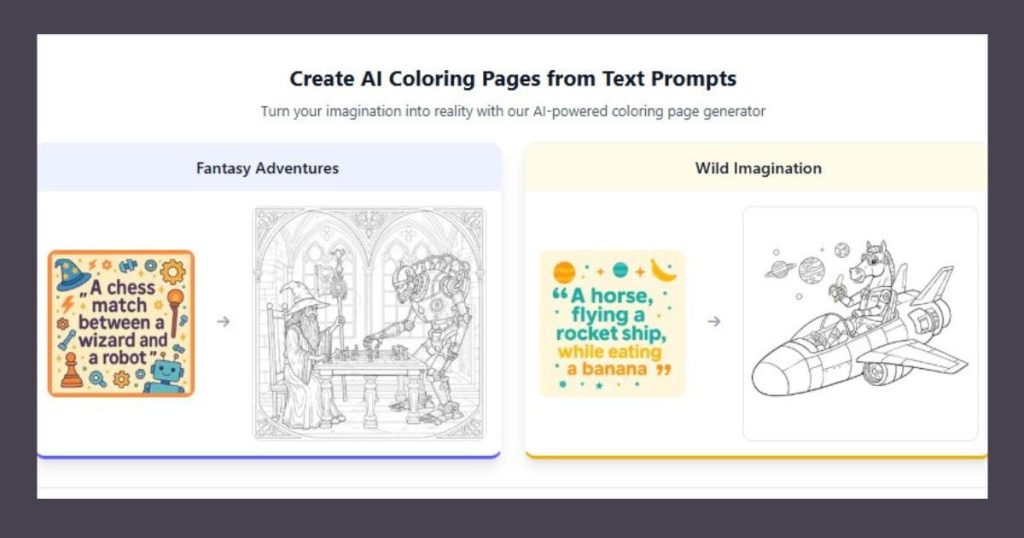
Colouring.app is a user-friendly AI tool that instantly converts your photographs into crisp line art, making it ideal for parents, teachers, and hobbyists looking for instant, ready-to-print colouring pages. Its easy interface and no sign-up requirement make developing personalised pages a breeze.
- Features: Converts photos to line art, customizable page size, instant download
- Free or Paid?: Free basic version
- Sign-Up Required?: No
- Best For: Parents and hobbyists
- Pros: Easy to use, fast processing, no sign-up needed
- Cons: Limited style options in the free version
2. iColoring AI
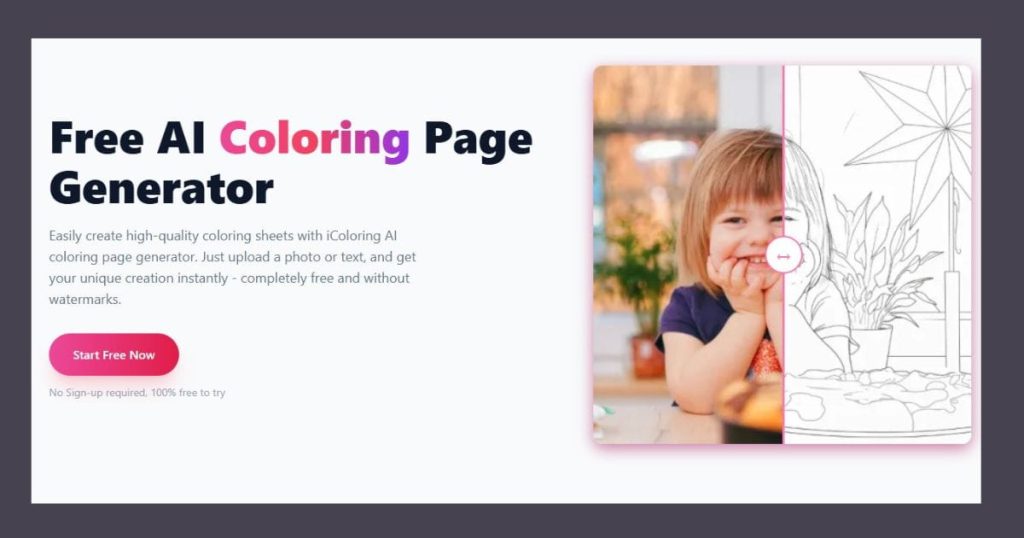
iColoring AI is a dynamic application that transforms your ideas or text prompts into stunning colouring pages. With batch processing and simple PDF output, it’s great for teachers and small company owners who need to create several pages rapidly.
- Features: Supports text prompts, batch processing, and simple PDF export
- Free or Paid?: Free trial available, premium for advanced features
- Sign-Up Required?: Yes
- Best For: Teachers and small business owners
- Pros: High-quality output, multiple formats
- Cons: Limited free trial
3. Colorify AI
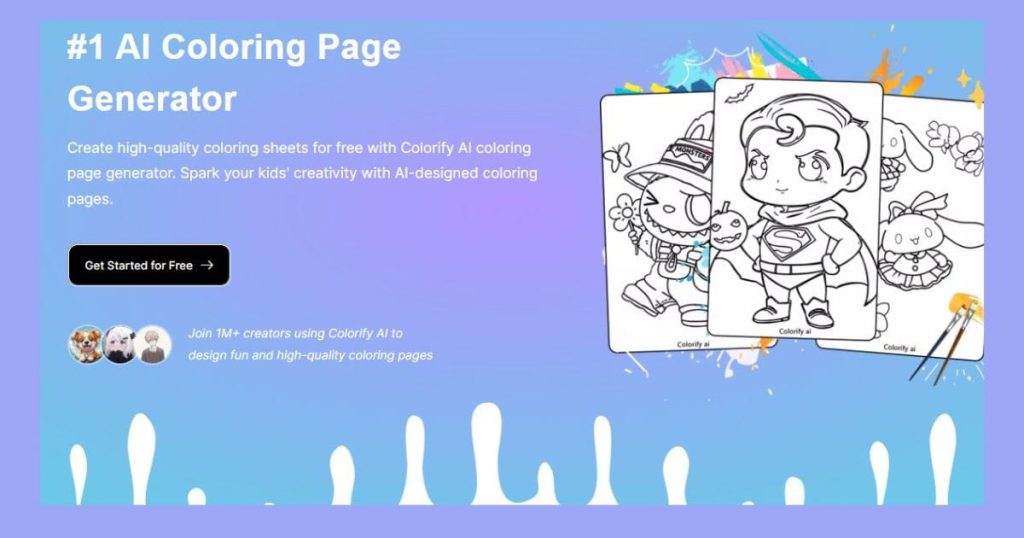
Colorify AI is a strong colouring page generator that automatically refines lines, resulting in smooth, professional-looking pages. It is ideal for Etsy merchants, KDP publishers, and anybody who creates digital or print items because it is mobile-friendly and can generate ready-to-print PDFs.
- Features: AI-assisted line refinement, mobile-friendly, ready-to-print PDFs
- Free or Paid?: Free tier available
- Sign-Up Required?: Optional
- Best For: Etsy sellers, KDP publishers
- Pros: Smooth lines, versatile use
- Cons: Watermark in the free version
Comparison Table:
| Tool | Features | Free/Paid | Sign-Up | Best For | Pros | Cons |
|---|---|---|---|---|---|---|
| Colouring.app | Photo to line art, customizable | Free | No | Parents, hobbyists | Easy, fast | Limited styles |
| iColoring AI | Text prompts, batch processing | Free trial | Yes | Teachers, small businesses | High-quality, multi-format | Limited trial |
| Colorify AI | Line refinement, mobile-ready | Free tier | Optional | Etsy sellers, publishers | Smooth lines, versatile | Watermark free tier |
➜ How to Create Your Own AI Colouring Book (Step-by-Step)
Making your own personalised colouring book is easier than ever. Simply select your photographs, let AI convert them into outlines, and print your pages in minutes!
- Enter Your Prompt: Decide what image or theme you want. AI generators often accept prompts like “cute animals in a garden” or “space adventure for kids.”
- Generate the Image: The AI creates a digital version based on your prompt. You can tweak settings such as style, line thickness, or complexity.
- Convert to Line Art: The AI transforms the image into clean outlines suitable for colouring. You can preview the result before finalising.
- Download PDF: Export your colouring page in PDF or PNG format. Some tools allow multiple pages to be downloaded together.
- Print: Print the pages at home, or compile them into a complete colouring book. Add a cover if you plan to sell or gift it.
Tips for Better Results:
- Begin with Clear Images: High-quality pictures or sketches provide clearer, more detailed colouring pages.
- Be Specific with Prompts: Adding information while using AI tools allows for more accurate and enjoyable outlines.
- Create Themed Collections: Combine many pages into a single book to provide a consistent and entertaining colouring experience.
➜ Are AI Colouring Pages Safe for Kids?
Parents are understandably concerned about their children’s safety online. Fortunately, most AI colouring programs include built-in mechanisms to ensure the content is kid-friendly and secure.
1. Content Moderation
AI colouring tools incorporate content filters to block objectionable images, monitor prompts, and automatically alter outputs to children’s preferences. Many systems allow parents to establish age restrictions and check created pages before printing. Combining these elements allows you to reliably deliver safe, enjoyable, and instructive colouring activities for children.
2. Prompt Control
To ensure safe and acceptable colouring pages, provide the AI with clear, age-appropriate commands. Choose themes, objects, or styles that reflect your child’s age and interests. Check generated photos before printing to ensure they are suitable. This technique contributes to enjoyable, informative, and safe colouring experiences.
3. Age-Appropriate Filtering
Use the platform’s settings to choose themes, alter complexity, and restrict content based on age. For smaller children, pick simple forms, while older youngsters should have detailed designs. This ensures that all colouring pages are safe, engaging, and appropriate for your child’s ability level.
Parental Tips:
- Preview first: Always inspect the generated colouring pages before sharing them with your children.
- Encourage creativity by allowing children to explore colours and designs while gently guiding them.
- Prioritise Privacy: Use solutions that allow you to upload photographs locally to protect your child’s data.
In brief, supervised, creative, and safe colouring enhances the experience for children.
➜ Who Should Use AI Colouring Page Generators?
AI colouring pages aren’t just for youngsters; they’re beneficial for anyone who enjoys creativity or needs ready-made designs:
- Save time and ignite your child’s imagination with fun, quick activities at home.
- Teachers: Receive quick, customisable worksheets and teaching materials.
- Etsy sellers and KDP publishers may easily design and sell unique, professional-quality colouring books.
- Homeschoolers can create personalised learning materials and creative exercises.
- Art Therapy & Hobbyists: Colouring helps you relax, unwind, and reduce stress.
- Gift Creators and Small Businesses: Create personalised presents, souvenirs, and unique products with ease.
In short, AI colouring pages make creativity accessible, enjoyable, and useful to everyone.
➜ FAQs
Q: Where can I get free AI colouring pages?
Free AI colouring sheets are available on sites such as Colouring.app, iColoring AI, and Colorify AI, all of which provide simple free tiers or samples. These programs automatically generate high-quality, printable colouring pages, making them ideal for parents, instructors, and hobbyists at no cost.
Q: Is there an AI colouring page generator that doesn’t require sign-up?
Yes! Colouring.app allows you to easily create and download colouring pages without having to sign up. This makes it ideal for fast projects, spontaneous activities, and testing out AI-generated pages with no trouble or personal information necessary.
Q: Can AI turn photos into colouring pages?
Absolutely! With AI colouring tools, you can upload any photo and have the system convert it into neat, easy-to-colour line art. This allows you to quickly convert family photos, pets, or favourite scenes into personalised colouring pages that can be printed or combined to create a bespoke colouring book.
Q: Are AI colouring tools safe for children?
Yes! Most AI colouring tools are created with children’s safety in mind. They use content moderation, age-appropriate filters, and prompt controls to ensure that only kid-friendly images are generated, providing parents peace of mind while allowing children to have a creative and safe colouring experience.
Q: Can I sell AI-generated colouring books?
Yes, you can sell AI-generated colouring books, but you must first research the licensing requirements for each platform. Some tools may need a premium subscription or attribution for commercial usage, but others provide unrestricted rights. Before publishing or selling your work, always confirm that you comply with copyright laws.
Sum Up
You’ve seen how AI colouring page generators can convert images, sketches, or ideas into printable colouring pages in minutes. You learned how artificial intelligence simplifies images, detects edges, eliminates distractions, and makes colouring fun and accessible to people of all ages. You also learned about the best tools, safety considerations, and how to design your own personalised colouring books.
Engaging Question: Imagine what you could accomplish if every concept you had could instantaneously be turned into a colouring page. What is your first masterpiece?
To summarise, AI colouring tools save time, increase creativity, and enable anyone from parents to instructors to hobbyists to effortlessly create professional-quality colouring pages. Begin exploring today and transform your ideas into enjoyable, artistic experiences for anyone!

Leave a Reply