

Imagine a classroom where students don’t just read about planets they can hold a planet in their hands, spin it, and explore its craters. Picture learners exploring the human body layer by layer or dissecting a virtual frog without ever touching a scalpel. This isn’t science fiction. This is the power of AR apps for education, transforming traditional learning into a hands-on, immersive experience.
Augmented reality (AR) is redefining how students learn. Gone are the days of passive textbooks and dull slideshows. With AR apps for education, lessons come to life, making complex topics understandable, memorable, and exciting. For teachers, parents, and students, these tools provide new ways to engage, explore, and retain knowledge faster.
In this guide, we’ll dive into the top AR apps for education in 2026, explore their benefits, and share practical strategies to integrate them into classrooms or home learning setups. By the end, you’ll understand why AR is no longer optional—it’s essential for modern education.
What Are AR Apps for Education and Why They Matter
AR apps for education overlay digital elements like 3D models, animations, and interactive visuals onto the real world. Unlike VR, which isolates learners in a virtual environment, AR enhances the surroundings students are already in.
Why AR Apps for Education Are Game Changing
- Hands-on learning: Students interact with digital objects rather than passively consuming content.
- Improved retention: Studies show that interactive lessons help learners remember information longer.
- Accessibility: AR engages multiple learning styles, including visual, auditory, and kinesthetic.
- Real-world connection: Abstract concepts, from physics to history, become tangible and understandable.
Whether you’re a teacher seeking innovative classroom tools or a student eager to learn differently, AR apps for education can make knowledge stick—and make learning fun.
Top 7 AR Apps for Education in 2026
Here are the most effective AR learning apps and tools that are shaping education in 2026:
1. Merge Cube Hands-On 3D Learning
Merge Cube is a revolutionary AR tool that allows students to hold and interact with digital objects in their hands. From exploring the solar system to examining molecules, this app transforms abstract concepts into immersive, tangible learning experiences.
Why it’s effective:
- 3D models for multiple subjects: Students can explore science, history, and art in vivid detail.
- Wide app compatibility: Works seamlessly with a variety of educational AR apps.
- Encourages curiosity and experimentation: Learners can manipulate objects, rotate them, and explore them from every angle.
Integrate Merge Cube into your lesson plans to make traditional topics interactive. For example, in a history class, students can study ancient artifacts in 3D, or in science, examine the layers of a volcano all from their desk. Using Merge Cube regularly helps students retain information better because they actively engage with the content, rather than passively reading or watching.
2. Anatomy 4D Explore the Human Body
Anatomy 4D brings the human body to life with stunning 3D visualisations, making it easier for students to understand complex anatomy. Instead of relying on static diagrams, learners can explore organs, muscles, and bones layered onto any surface in their environment.
Why it works:
- Interactive dissection without a scalpel: Students can study anatomy safely and hands-on.
- Zoom, rotate, and examine in detail: Every organ and system can be viewed from multiple angles for deeper understanding.
- Perfect for biology and health science classes: Enhances both classroom learning and home study.
Manipulating 3D models helps students retain knowledge longer and understand how body systems function in real life. This app is especially valuable for visual and kinesthetic learners who benefit from hands on, immersive learning. Combine Anatomy 4D with lesson plans or quizzes to reinforce learning. For example, students can identify organs during a virtual dissection and then test their knowledge immediately afterwards for better retention.
3. Google Lens Instant Learning Anywhere
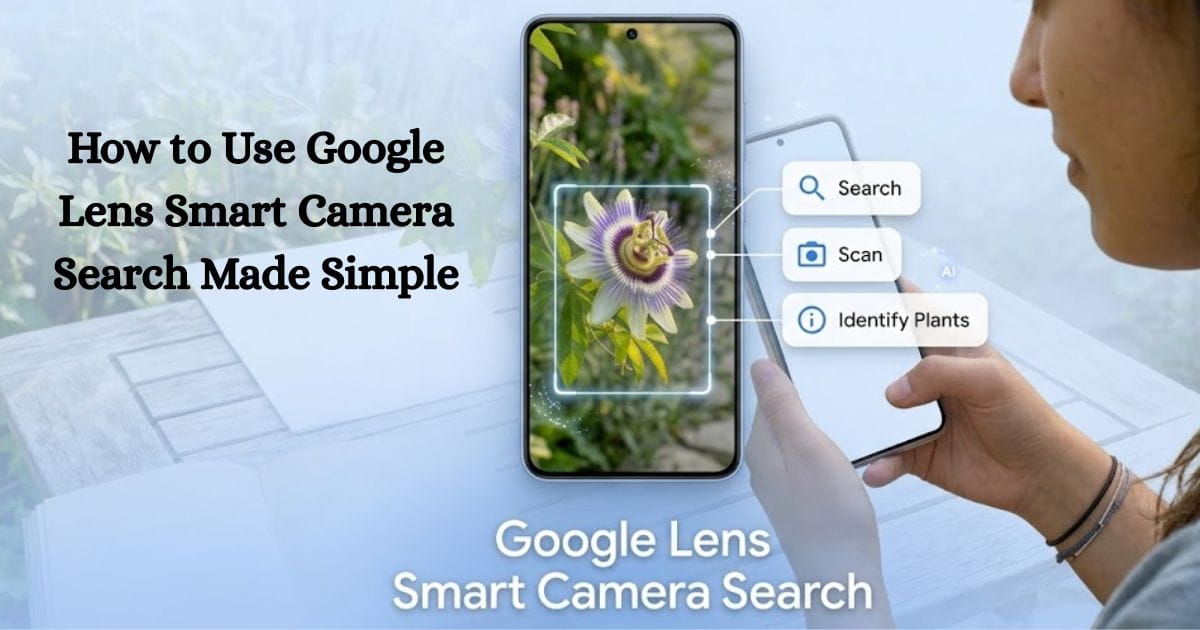
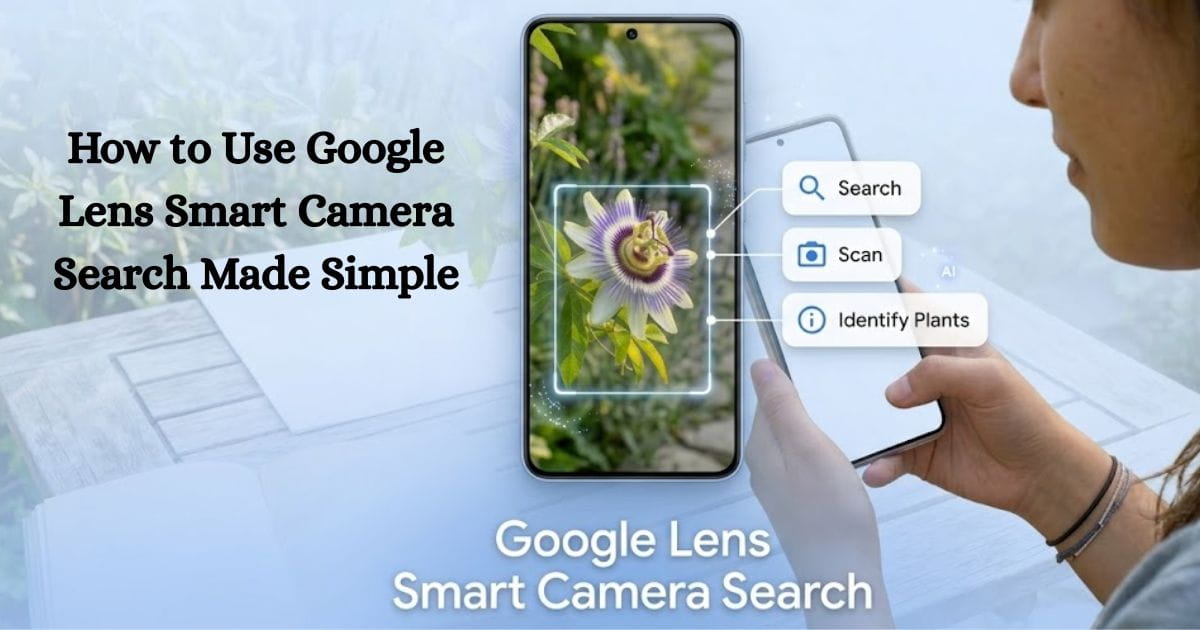
Google Lens goes beyond translating signs it’s a versatile AR educational tool that turns the real world into a dynamic classroom. Students can point their smartphone or tablet camera at objects, plants, or printed text and instantly receive interactive explanations, definitions, or translations.
Why it works:
- Connects lessons to real life: Students see how concepts from books apply to the world around them.
- Smart text recognition and translation: Instantly converts text or labels into understandable information, making foreign languages and complex topics accessible.
- Sparks curiosity and engagement: Immediate answers encourage exploration and deeper learning.
Use Google Lens to enhance traditional homework or class activities. For instance, during a biology lesson, students can scan plants to learn their species, or in history class, scan landmarks or artifacts for instant context. And google Lens is free and works on most modern devices, making it an easy and effective addition to any learning setup.
4. JigSpace Step-by-Step 3D Tutorials
JigSpace transforms traditional lessons into interactive 3D experiences, allowing students to learn by doing. Whether it’s machinery, math, physics, or engineering concepts, learners can manipulate objects, follow step-by-step instructions, and gain a deeper understanding of complex processes.
Why it works:
- Step-by-step interactive lessons: Breaks down concepts into manageable, hands-on learning modules.
- Cross-platform support: Works on iOS and most AR-enabled devices, making it accessible for classrooms and home learning.
- Perfect for visual and kinesthetic learners: Students engage directly with 3D objects, improving retention and comprehension.
JigSpace is ideal for STEM classrooms, where students can explore mechanical systems, chemical reactions, or geometry in 3D. At home, it’s a perfect tool for hands-on STEM projects that reinforce concepts learned in class. And then it encourage students to manipulate each 3D object themselves before completing exercises or quizzes this active engagement boosts understanding and memory.
5. Quiver Color and Animate
Quiver transforms ordinary colouring into an interactive AR experience, allowing students to see their drawings come to life in 3D. By combining creativity with technology, Quiver makes learning immersive and unforgettable.
Why it works:
- Fosters creativity while learning: Students actively engage with the material, connecting art with education.
- Brings concepts to life in real-time: Colored pages transform into animated 3D objects, helping students visualize abstract ideas.
- Versatile for multiple subjects: Supports topics like geography, biology, and art, making lessons more engaging.
Quiver is perfect for younger students or visual learners. Use it to make complex subjects—like the solar system, anatomy, or ecosystems tangible and fun. By turning static exercises into interactive experiences, Quiver not only makes lessons enjoyable but also improves knowledge retention and sparks curiosity.
6. AR Flashcards Learning Through Play
AR Flashcards transform traditional flashcards into an interactive, augmented reality learning experience. Students simply point their device at a card, and the images come alive with animation, sound, and interactivity, making learning both fun and effective.
Why it works:
- Reinforces memory through gamification: Engaging animations and interactive elements help students retain information longer.
- Covers multiple subjects: From languages to math, science, and geography, AR Flashcards make a variety of topics accessible.
- Promotes active learning: Visual and kinesthetic learners benefit from hands-on interaction with the content.
By turning study time into an engaging game, AR Flashcards keep students motivated and excited to learn. This app is especially useful for younger learners or anyone who thrives on visual and interactive learning methods. Incorporate AR Flashcards into quizzes or review sessions to make memorisation more enjoyable and effective.
7. Mondly AR Language Learning Immersive
Mondly AR brings language learning into the real world by placing a virtual tutor directly into the student’s environment. Learners can practice conversations, expand vocabulary, and follow gestures in real time, making language acquisition interactive and practical.
Why it works:
- Immersive conversational practice: Students speak and interact with a virtual tutor, simulating real-life conversations.
- Visual cues for better comprehension: Gestures, expressions, and animations help learners understand context and meaning.
- Interactive and realistic learning: Language comes alive, making lessons more engaging than traditional methods.
Integrate Mondly AR into multilingual classrooms or as a supplemental tool for home study. Students can practice at their own pace, reinforcing classroom instruction with hands-on, interactive learning. Using Mondly AR regularly helps learners build confidence in speaking and comprehension, making language learning both fun and highly effective.
Benefits of Integrating AR Apps in Education
Using AR apps for education goes beyond making lessons more exciting—it transforms the way students learn and retain knowledge. These innovative tools provide a wide range of benefits that enhance both teaching and learning outcomes.
- Boosted engagement: Interactive AR lessons capture students’ attention, encouraging active participation and reducing distractions.
- Hands-on experience: Complex topics, from the solar system to human anatomy, become tangible, allowing students to manipulate and explore concepts directly.
- Improved retention: Visual and kinesthetic learning strengthens memory, helping students remember information longer and more effectively.
- Accessibility for diverse learners: AR apps cater to multiple learning styles, making education inclusive for visual, auditory, and hands-on learners.
- Tech readiness for the future: Students gain early exposure to emerging technologies, preparing them for tech-driven workplaces and future careers.
When integrated thoughtfully, AR apps don’t just supplement learning—they actively transform the classroom into an interactive, immersive environment where knowledge sticks.
Practical Tips for Using AR Apps in Classrooms or Home Study
Integrating AR apps for education effectively requires planning and thoughtful implementation. Here are some practical tips to help educators and parents maximize the benefits of augmented reality in learning:
- Start small: Introduce one AR app per lesson or topic to prevent students from feeling overwhelmed. Gradually expand as they become comfortable with the technology.
- Blend with traditional methods: AR should complement textbooks, lectures, and discussions, not replace them. Combining traditional and AR-based learning strengthens understanding.
- Encourage exploration: Allow students to experiment with AR features beyond guided lessons. Hands-on exploration fosters curiosity and critical thinking.
- Track progress: Many AR apps provide analytics and feedback. Use these tools to monitor student understanding and identify areas that need reinforcement.
- Keep devices updated: Ensure all tablets, smartphones, or AR devices are updated and fully compatible with the apps to prevent technical issues during lessons.
Thoughtful integration of AR apps turns learning into an interactive, immersive experience, helping students retain information and stay engaged.
Common Mistakes to Avoid When Using AR Apps in Education
Even the most innovative AR apps for education can fall short if not implemented thoughtfully. Avoid these common mistakes to ensure technology enhances learning rather than hinders it:
- Overloading lessons: Introducing too many AR apps at once can overwhelm students and reduce focus. Focus on one or two tools per lesson for maximum impact.
- Ignoring learning objectives: AR should reinforce your curriculum, not replace it. Always align app use with specific learning goals.
- Neglecting accessibility: Make sure all apps are compatible with your students’ devices. Technology should be inclusive, not a barrier.
- Skipping structured guidance: While exploration is valuable, students learn best with clear instructions and support. Balance independent discovery with guided activities.
Thoughtful integration of AR apps ensures students remain engaged, retain information, and benefit fully from immersive learning experiences.
FAQs
Are AR apps suitable for all age groups?
Yes! AR apps can be adapted for learners of every age. For example, AR Flashcards are perfect for younger students, while Anatomy 4D and JigSpace are ideal for high school and college learners who need more advanced, interactive content.
Do AR apps require expensive equipment?
Not necessarily. Most AR apps run on modern smartphones or tablets. Some apps, like Merge Cube, may require optional accessories, but many powerful educational tools are accessible with devices you already own.
Can AR apps replace teachers?
No. AR apps are designed to enhance teaching, not replace educators. Structured integration ensures that lessons remain effective while keeping students engaged and interactive.
Are there free AR apps for students?
Yes! Several AR apps offer free versions with robust educational features. Examples include Google Lens, AR Flashcards, and Quiver, all of which provide hands-on learning without additional cost
Sum Up
AR apps for education are transforming classrooms, homes, and study habits. From exploring the cosmos to dissecting virtual frogs or practicing new languages, these tools provide experiences that traditional textbooks cannot. By thoughtfully integrating AR classroom apps and AR study apps, educators can boost engagement, deepen understanding, and make learning immersive. Step into the world of AR apps for education today and watch learning transform before your eyes. For more tips on enhancing your digital learning setup, check out AR study guides to keep your classroom future ready.




Leave a Reply