
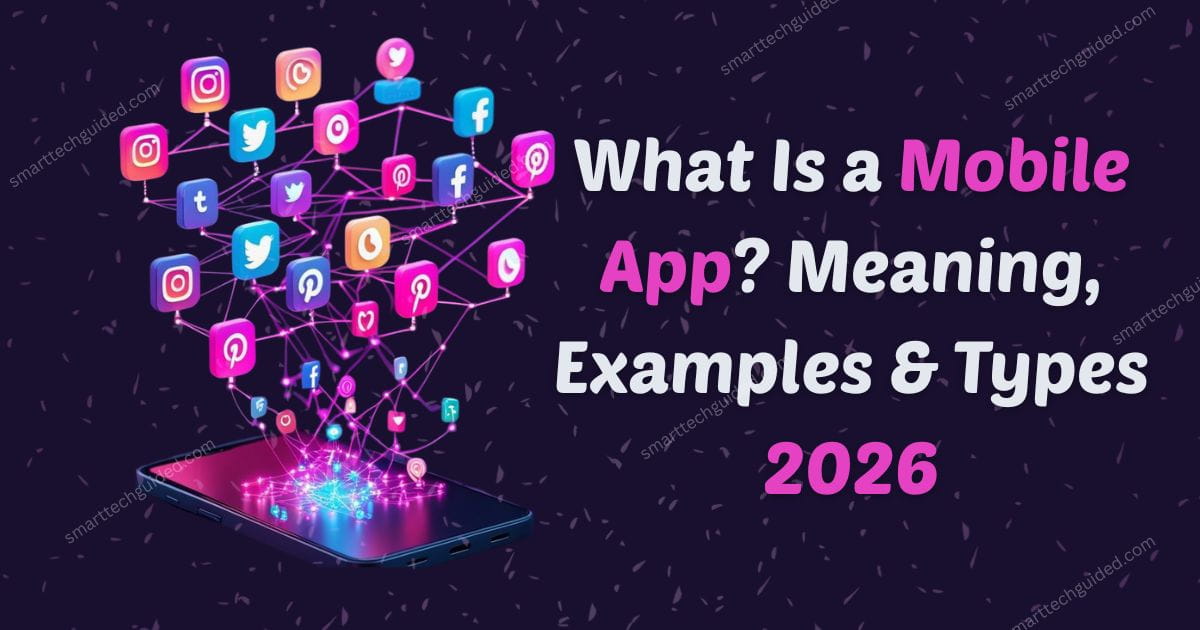
What Is a Mobile App and how is it different from a website? Mobile apps are programs designed to run on smartphones and tablets, helping us chat, shop, play games, track fitness, and manage finances. They make daily tasks faster, easier, and more convenient than ever.
In this beginner friendly guide, we will explain what a mobile apps and popular apps in it and provide clear examples, explore different types, and show how to identify free versus paid apps in 2026. You’ll learn about essential apps for productivity, entertainment, health, and social connections.
By understanding what a mobile app is, you can make smarter choices when downloading, organizing, and using apps on your device. This guide gives you the knowledge to navigate the mobile app world confidently, optimize your phone’s performance, and enjoy the best tools available for your needs.
So, a mobile app is a software program designed to run on smartphones or tablets. Unlike websites, apps offer a more personalized, faster, and often offline experience.
What Is a Mobile App: Key Points You Should Know
As we are discussing what is a mobile app so apps are installed directly on your device. They can interact with hardware like cameras, GPS, and microphones, making tasks easier and more efficient. Mobile apps also improve convenience, productivity, and entertainment on your smartphone or tablet.
Difference Between App and Mobile App
- App: A general software application that can run on computers, tablets, or phones.
- Mobile App: Specifically designed to work on mobile devices, optimized for touchscreens, portability, and mobile performance.
Understanding what is a mobile app helps you choose the right apps for your needs, whether for work, communication, or entertainment. These smartphone applications and mobile software provide unique functions that general apps cannot, making mobile apps an essential part of daily life.
Examples of Mobile Apps
Understanding the meaning of mobile apps is easier when you see real-world examples. Here are some common examples of mobile app types and what they do:
- Social Media Apps: Instagram, WhatsApp, TikTok – stay connected with friends and family.
- Productivity Apps: Notion, Trello, Google Calendar – organize tasks, schedules, and projects efficiently.
- Entertainment Apps: Netflix, Spotify, YouTube – stream videos, music, and more.
- Finance Apps: PayPal, Mint, Revolt – manage money, track expenses, and make payments easily.
- Health & Fitness Apps: MyFitnessPal, Calm, Strava track workouts, meditate, and monitor wellness.
These mobile apps show how software can serve different purposes from socialising to improving productivity and health. If you ever accidentally delete an app or file, you can also learn how to find deleted and unwanted apps on Android to recover them quickly.
Types of Mobile Apps
Mobile apps can be grouped into three main types: native apps, web apps, and hybrid apps. Understanding what is a mobile app and its different types helps you choose the right app for your needs, whether you want high performance, cross-platform access, or a combination of both.
1. Native Apps
Native apps are built for a specific platform, like iOS or Android. They provide fast performance, smooth operation, and full access to device features. Popular native app Examples include WhatsApp and Instagram, which deliver high-quality user experiences tailored to each operating system.
2. Web Apps
Web apps run directly in a mobile browser without the need to download. They are cross-platform and easy to update, making them convenient for quick access. Examples include Google Docs mobile and online banking portals, offering essential functions without using device storage.
3. Hybrid Apps
Hybrid apps combine features of native and web apps. They work across multiple platforms but may slightly compromise performance compared to native apps. Well-known Examples include Uber and Twitter, which provide consistent experiences on iOS and Android.
How to Identify Free vs Paid Mobile Apps
Knowing which apps are free and which require payment helps you avoid surprises. Checking the App Store, Google Play, or the developer’s website lets you see pricing, subscription options, and trial periods. You can also spot optional in app purchases that may apply even in free apps.
1. Check the App Store or Play Store
On iOS, free apps show a “Get” button, while paid apps display a price. On Android, free apps have an “Install” button, and paid apps show the cost. Many free apps also offer in-app purchases, like Spotify Premium or game upgrades. Always read the app description to understand subscriptions and optional fees.
2. Look for In-App Purchases
Even free apps often include optional purchases. These can unlock premium features, remove ads, or provide extra content. For example, Spotify Free users can upgrade to Spotify Premium, while TikTok offers coins for gifts, and many games sell upgrades or bonus items. Always check the app for these in-app purchases before downloading.
3. Read the App Description
Always check the app description before downloading. Developers usually list subscription fees, trial periods, and any in-app purchases. This helps you understand the full cost, avoid surprises, and decide if the app meets your needs. Reading the description ensures you know which apps are free and which require payment or upgrades.
4. Check Developer Website
Visit the official website of the app to get accurate pricing and subscription details. Developers often list trial periods, premium features, and optional in-app purchases. This helps you understand which apps are free and how much paid features cost, answering the question: how do I know my mobile app before downloading it.
Why Knowing App Types and Costs Matters
Understanding which apps are free and which require payment helps you plan your budget and avoid surprises. Knowing app types also ensures you choose apps that fit your device and needs. By checking app pricing and features, you make smarter decisions and manage both storage and spending effectively.
1.Budgeting
Knowing free vs paid apps helps you manage your money. Many apps offer in-app purchases or subscriptions that can quickly add up. By understanding app pricing beforehand, you can avoid unexpected charges and make smarter decisions when downloading new apps.
2.Device Management
Paid apps often use more storage and resources. Checking app requirements and costs ensures your device can handle them without slowing down. Monitoring storage and performance helps you maintain a clean, efficient phone while making the most of your app cost information.
3.Decision Making
Understanding app types and costs allows you to choose apps that truly meet your needs. By consulting an app pricing guide and comparing free versus paid options, you can select apps wisely, avoid overspending, and ensure you get the features you actually use.
Practical Tips for Beginners
Following practical tips helps beginners get the most out of their apps while saving time, money, and storage. Understanding app types, checking quality, and organizing your apps ensures you avoid unnecessary purchases, keep your phone efficient, and enjoy a smoother mobile experience.
- Start with Free Apps: Test functionality before buying.
- Check Ratings and Reviews: Ensure apps are reliable and safe.
- Keep Apps Updated: Updates improve performance and fix bugs.
- Organize by Category: Group productivity, entertainment, and lifestyle apps for easy access.
- Review Subscriptions Monthly: Cancel unused apps to save money.
Sum Up
Mobile apps are powerful tools that make work, entertainment, and daily tasks much easier. By understanding what is a mobile app, exploring real examples, learning the different types, and knowing which apps are free or paid, you can use your device smarter and more efficiently.
This guide helps you learn how to choose the right apps, install them safely, and manage them without clutter or unnecessary costs. You’ll discover practical tips for organizing your apps, saving storage, and getting the most out of your smartphone every day.




Leave a Reply