

Artificial Intelligence (AI) is no longer just a futuristic concept; it’s transforming the way we learn and interact with information. For college and school students, AI tools have become essential allies in navigating their academic journeys. Imagine having a virtual tutor available 24/7 or an intelligent assistant that helps you organize your notes seamlessly. These technologies are not only enhancing learning experiences but also making education more accessible and personalized.
As we step into 2026, the landscape of educational technology has evolved dramatically, offering innovative solutions tailored to student needs. Whether you’re striving for better grades, seeking efficient study methods, or looking for creative ways to present your projects, there’s an AI tool designed specifically for you.
So, Join us as we explore some of the best AI tools for engineering students and beyond tools that can pave the way to academic success while alleviating stress along the way!
Importance of AI Tools for School Students in Education
Artificial Intelligence is reshaping the educational landscape in profound ways. By personalizing learning experiences, AI caters to individual student needs and preferences. This customization enhances engagement and improves outcomes. AI tools also streamline administrative tasks for educators. Grading assignments, tracking attendance, and managing schedules become more efficient.
Teachers can redirect their focus toward what truly matters student interaction. Moreover, AI fosters accessibility in education. Students with disabilities benefit from tailored resources that help them thrive alongside their peers.
The integration of AI promotes critical thinking skills by encouraging students to explore complex problems through simulations and interactive platforms. Such an approach prepares them for real-world challenges they may face after graduation. In a rapidly changing world, embracing AI technology ensures that students are equipped with the necessary skills for future careers while fostering a culture of innovation within academic institutions.
9 Top AI Tools for College and School Students
As technology evolves, AI tools are becoming essential for students. They simplify study processes and enhance learning experiences. One standout is ChatGPT by Open AI. This conversational agent helps with brainstorming ideas and clarifying complex topics in real time. Students can easily engage with it to find solutions or generate content. Google Gemini offers a different approach, focusing on personalized learning paths. It adapts to each student’s strengths and weaknesses, making the educational journey more efficient. For organizing notes, Notion AI stands out as an all-in-one workspace.
Its flexibility allows users to create structured documents while integrating reminders and to-do lists seamlessly. When it comes to presentations, Canvas AI provides intuitive design features that transform basic slides into eye-catching visuals effortlessly. These innovative tools not only make studying easier and boost creativity across different subjects, but they can also become a distraction or create over-dependence if used too often. Students should use AI as a learning support—not a replacement for thinking, practicing, and understanding concepts on their own.
1. ChatGPT (Open AI)
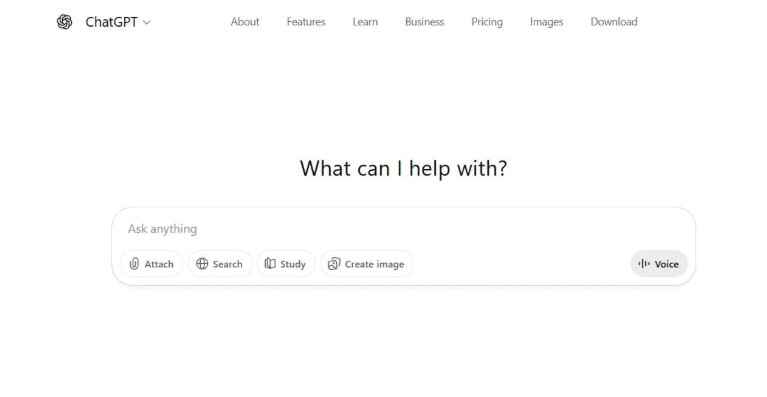
ChatGPT by Open AI works like a personal study partner that’s available whenever you need it. It can explain tough topics in simple words, help you plan essays, and guide you through problem-solving step by step. Instead of just giving answers, it can show you how to think through a question, which makes learning more effective in the long run. Students often use it to break down complex chapters, summarize long notes, or practice explaining ideas in their own words. This makes it especially useful for exam prep and daily homework.
Pros:
- Saves time: Quickly summarizes notes, creates outlines, and suggests ideas
- Easy to understand: Explains concepts in simple, clear language
- Flexible writing style: Can help with formal essays or casual explanations
- Available 24/7: Support anytime, even late at night before deadlines
Cons:
- Not always perfect: Some answers may need fact-checking
- Can reduce independent thinking: Overuse may limit problem-solving practice
- No real teacher feedback: It can guide, but it can’t replace human insight
Using it wisely alongside textbooks and teachers helps you get the best results.
Best Use Cases for Students:
- Brainstorming essay topics and project ideas
- Understanding difficult subjects like math, science, and coding
- Improving writing skills through editing and rephrasing
- Creating study plans and revision schedules
Think of it as a learning assistant, not a shortcut. When used responsibly, it can boost confidence, improve understanding, and make studying less stressful while still keeping you in control of your own learning journey.
2. Google Gemini
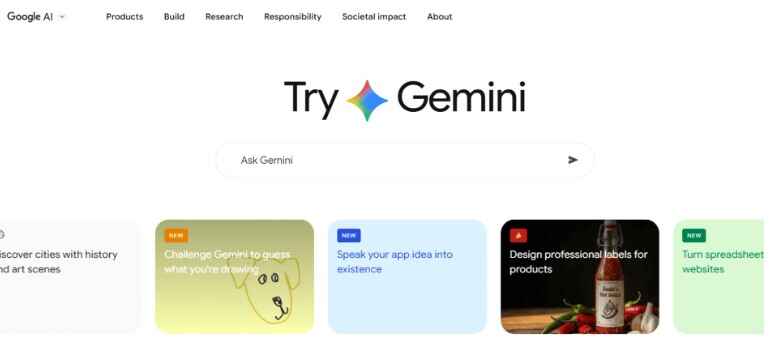
Google Gemini is one of the top AI tools for school students, designed to make learning more interactive, personalized, and efficient. It works seamlessly with popular educational platforms, helping students access information and study materials with ease.
Whether you’re tackling complex math problems, exploring literature, or preparing for science projects, Gemini breaks down complicated topics into simple, digestible pieces. This makes learning less overwhelming and allows students to progress at their own pace.
Pros:
- Interactive learning: Engages students with tailored explanations for each topic
- Simplifies complex concepts: Breaks down tough subjects into easy-to-understand sections
- Collaboration-ready: Ideal for group projects with real-time brainstorming features
- Time-saving: Summarizes lengthy articles or generates study guides quickly
Cons:
- Over-reliance risk: Students may rely too much on AI instead of practicing independently
- Limited creativity: Automated suggestions may not replace original thinking
- Requires guidance: Best results come when used alongside teachers or textbooks
Best Use Cases for Students:
- Creating personalized study guides
- Understanding difficult topics step by step
- Collaborating on group assignments remotely
- Summarizing long reading materials or research articles
When used thoughtfully, Google Gemini can help school students save time, improve understanding, and make studying more interactive—making it a perfect addition to your toolkit of AI tools for school students.
3. Claude

Claude, developed by Anthropic, is one of the leading AI tools for school students designed to enhance engagement, understanding, and productivity. Its strength lies in deep context comprehension, which allows it to generate clear, coherent, and helpful responses for a wide range of academic tasks.
Whether you need help brainstorming ideas, understanding complex concepts, or organizing assignments, Claude serves as a flexible study companion. Its intuitive interface ensures that students from all disciplines—even those not very tech-savvy can use it effectively.
Pros:
- Context-aware responses: Provides detailed explanations tailored to your questions
- User-friendly: Easy interface suitable for students across disciplines
- Ethical and safe: Reduces bias and encourages critical thinking
- Versatile: Can assist in writing, research, brainstorming, and problem-solving
Cons:
- May require verification: Some outputs should be cross-checked for accuracy
- Not fully creative: AI suggestions are helpful but may need your own input
- Dependence risk: Overuse can reduce independent problem-solving skills
Best Use Cases for Students:
- Brainstorming ideas for essays, projects, and assignments
- Explaining complex concepts in subjects like science, math, or engineering
- Organizing study material and summarizing content
- Practicing problem-solving and critical thinking
By using Claude responsibly, students can enhance learning efficiency, gain new insights, and make study sessions more productive making it a top choice among AI tools for school students in 2026.
4. Notion AI
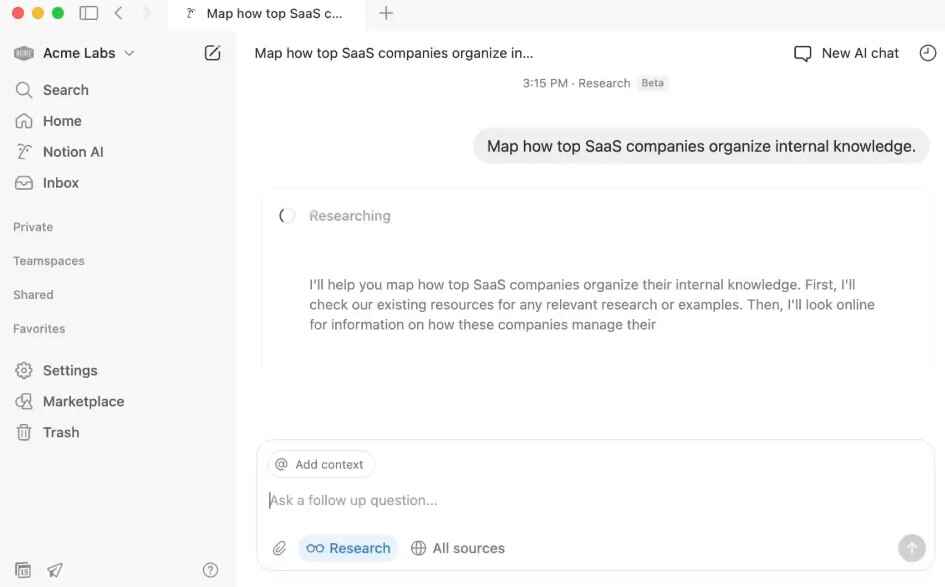
Notion AI is one of the top AI tools for school students, transforming how students manage their academic tasks and stay organized. By integrating seamlessly into the Notion workspace, it helps students boost productivity, plan projects, and streamline daily study routines.
From brainstorming ideas for essays to drafting project outlines, Notion AI offers smart suggestions tailored to your needs. Its intuitive interface allows students to create notes, databases, and to-do lists effortlessly, while automation features handle repetitive tasks so you can focus on learning and creativity.
Pros:
- Organized workflow: Keeps notes, assignments, and projects in one place
- Smart suggestions: Helps brainstorm ideas and structure essays efficiently
- Collaboration-friendly: Supports real-time teamwork on group projects
- Time-saving automation: Reduces repetitive tasks and simplifies planning
Cons:
- Learning curve: Some features may take time to master
- Over-dependence risk: Relying too much may reduce independent organization skills
- Limited AI writing help: Suggestions need your personal touch to avoid generic content
Best Use Cases for Students:
- Organizing study notes, assignments, and schedules
- Brainstorming project ideas or essay outlines
- Collaborating on group projects with classmates
- Tracking deadlines and automating repetitive study tasks
When used responsibly, Notion AI can dramatically improve study efficiency, encourage creativity, and make learning more organized making it a must-have among AI tools for school students in 2026
5. Otter.ai / Notta
Otter.ai and Notta are among the top AI tools for school students, making note-taking during lectures and study sessions effortless. These tools convert spoken content into written text, allowing students to focus on understanding rather than hurriedly writing every word. With Otter.ai, you can record live lectures or upload audio files, generating accurate transcripts in real time.
Notta offers similar capabilities but adds enhanced organization letting you highlight key points and export notes in multiple formats for future reference. Both tools also support collaboration, making it easy to share notes with classmates. This feature encourages group discussions, better retention, and more efficient collective learning.
Pros:
- Saves time: Automatically converts lectures and discussions into text
- Enhances focus: Students can pay attention instead of taking every note manually
- Organized notes: Highlight, edit, and export transcripts for easy reference
- Collaboration-friendly: Share notes with peers for group learning
Cons:
- Accuracy limitations: May misinterpret unclear audio or accents
- Over-reliance risk: Students should still engage actively in class
Best Use Cases for Students:
- Recording lectures and generating transcripts automatically
- Highlighting key points and organizing study materials
- Sharing notes with classmates for collaborative learning
- Reviewing past lectures quickly for exam preparation
Used responsibly, these AI tools save time, improve comprehension, and make studying more organized—earning their place among the most effective AI tools for school students in 2026.
6. Grammarly
Grammarly is one of the top AI tools for school students, helping elevate writing quality while ensuring clarity, accuracy, and originality. Its advanced AI analyzes text in real time, catching grammatical errors, punctuation mistakes, and style issues before students submit essays or reports. With a user-friendly interface, Grammarly is easy to navigate and customisation for different writing tasks. Whether crafting an essay, drafting a report, or sending an email, the tool adapts to your needs.
Additionally, Grammarly’s plagiarism checker scans content against millions of web pages, ensuring originality and maintaining academic integrity an essential feature for research papers and assignments.
Pros:
- Grammar and style checks: Corrects errors in real time for polished writing
- Tone detection: Ensures your work fits the intended audience
- Plagiarism detection: Maintains originality and academic integrity
- Vocabulary enhancement: Suggests better word choices for clearer expression
Cons:
- Over-reliance risk: Students may skip learning basic grammar
- Limited free features: Some advanced tools require a paid subscription
- Not subject-specific: It can’t verify technical or factual accuracy
Best Use Cases for Students:
- Proofreading essays, reports, and research papers
- Enhancing clarity, tone, and vocabulary in writing assignments
- Checking originality to avoid plagiarism
- Drafting emails or online communication for school purposes
When used wisely, Grammarly helps students improve writing skills, maintain academic integrity, and communicate ideas more effectively making it a must-have in the toolkit of AI tools for school students in 2026.
7. QuillBot
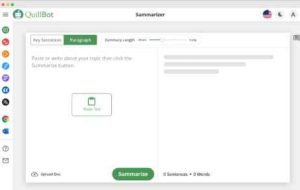
QuillBot is one of the helpful AI tools for school students, designed to make writing easier and clearer. It helps students rephrase sentences, improve clarity, and make their work sound more polished without changing the original meaning. Whether you’re working on an essay, a report, or brainstorming ideas, QuillBot can suggest better ways to write, making your text flow naturally. It also has different modes like standard or creative, so you can adjust it depending on the style of your assignment.
Pros:
- Rephrases sentences clearly without changing meaning
- Multiple modes: Standard for academics, creative for projects
- Easy integration: Works with Word, Google Docs, and other platforms
- Saves time: Helps polish essays and assignments quickly
Cons:
- Not perfect: May still need human proofreading
- Limited free features: Full capabilities require a paid plan
- Overuse risk: Relying too much may reduce personal writing skills
Best Use Cases for Students:
- Paraphrasing essays or assignments
- Improving sentence structure and clarity
- Brainstorming new ways to express ideas
- Editing drafts quickly for better readability
When used wisely, QuillBot helps students write more clearly, save time, and maintain originality making it a useful addition to the toolkit of AI tools for school students in 2026.
8. Quizlet AI
Quizlet AI is one of the most useful AI tools for school students, helping make exam preparation and learning new topics easier and more engaging. It takes the idea of flashcards and quizzes and makes them personal, so you focus on the areas where you need the most practice. The platform creates quizzes based on what you already know and where you need improvement. This way, you spend less time on topics you’ve already mastered and more time on challenging areas.
Pros:
- Personalized quizzes: Focus on areas where you need improvement
- Enhanced flashcards: Smart suggestions based on past performance
- Collaboration-friendly: Share study materials and insights with classmates
- Engaging learning: Makes studying interactive and motivating
Cons:
- Over-reliance risk: May reduce active note-taking skills
- Limited free features: Some advanced options require a subscription
- Not a full substitute for textbooks or teachers
Best Use Cases for Students:
- Preparing for exams and tests efficiently
- Reviewing difficult topics with targeted quizzes
- Creating and sharing study materials with classmates
- Reinforcing memory through interactive learning
When used wisely, Quizlet AI helps students study more effectively, stay motivated, and make learning less stressful making it a top choice among AI tools for school students in 2026.
9. Canva AI
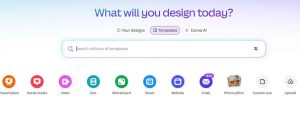
Canva AI is one of the best AI tools for school students, helping create posters, presentations, and graphics without needing advanced design skills. Its simple interface lets students bring their ideas to life quickly and easily. With ready-to-use templates, Canva AI adapts to your content, suggesting layouts, images, and colour schemes that make projects look professional.
Pros:
- Easy to use: No advanced design skills required
- Templates and suggestions: Quickly creates professional-looking visuals
- Collaboration-friendly: Work together on projects in real-time
- Enhances communication: Makes ideas clear and engaging visually
Cons:
- Limited free features: Some templates or tools require a paid plan
- Overuse risk: Relying too much on templates may reduce creative practice
- Not fully original: AI suggestions may need adjustments to stand out
Best Use Cases for Students:
- Designing posters and presentations
- Creating infographics for school projects
- Collaborating on group assignments
- Enhancing visual storytelling for any assignment
When used wisely, Canva AI saves time, improves project quality, and makes learning more creative—earning its place among the top AI tools for school students in 2026.
Benefits of Using AI Tools for Students
- Using AI tools for students can make a big difference in how they learn. These tools provide support tailored to each student’s needs, helping them understand difficult topics at their own pace.
- They also make studying easier by handling repetitive tasks like organizing notes or preparing study materials. This frees up time for students to focus on truly understanding the subject.
- Collaborating with classmates becomes smoother as well. Students can share notes, discuss ideas, and get help when needed, making teamwork more effective.
- Many AI tools for students are free or low-cost, giving learners from different backgrounds access to useful resources without spending a lot of money.
Finally, using these tools encourages better thinking and problem-solving skills. Students learn how to analyze information, plan their work, and make decisions more efficiently—skills that help both in school and in everyday life.
How AI Tools for Students Are Changing Education?
AI tools for students are transforming education in exciting ways. They make learning more personal by adapting to each student’s needs and pace, helping them understand even the most difficult topics more easily. These tools also make life easier for teachers. Routine tasks like grading assignments, tracking attendance, and organizing lessons can be automated, giving educators more time to focus on teaching and supporting students directly.
Insights from AI can show which areas students struggle with most, allowing teachers to adjust their lessons and help students where it matters most. Virtual tutoring platforms and other AI tools for students are available 24/7, so learners can get help anytime whether it’s late-night homework or reviewing for an exam.
This flexibility encourages continuous learning and makes studying less stressful. As technology continues to grow, the use of AI tools for students will likely expand further, improving both teaching methods and learning outcomes across all subjects, while giving students smarter ways to study and succeed.
Potential Drawbacks of AI Tools for Students
While AI tools for students offer many benefits, they also come with some challenges that need attention. One major concern is over-reliance on technology.
- Students may depend too much on AI for answers or assignments, which can limit their ability to think critically and solve problems independently.
- Privacy is another important issue. Many educational tools collect personal data, and if not handled carefully, this information could be exposed, raising concerns about student confidentiality and security.
- Access inequality is also a challenge. Not all students have reliable internet or devices at home, which means some may not benefit from AI tools as much as others, potentially widening the learning gap.
Finally, algorithms can sometimes reflect biases in the data they were trained on. This could result in unfair assessments or suggestions that don’t accurately represent a student’s abilities or needs. Understanding these drawbacks helps students and educators use AI tools for students responsibly, maximizing benefits while avoiding potential pitfalls.
Sum Up
AI tools for students are transforming education by making learning easier, boosting productivity, and sparking creativity. Platforms like ChatGPT and Google Gemini provide tutoring support, while Notion AI and Otter.ai help organize notes efficiently. Writing tools like Grammarly and QuillBot improve clarity and maintain academic integrity, while Quizlet AI makes exam prep interactive and Canva enhances presentations without design skills.
Though over-reliance can reduce critical thinking, the benefits far outweigh the risks when used wisely. Free and accessible AI tools for students help create smarter study habits, offer personalized learning, and open new opportunities for success in school and college.



Leave a Reply