
If you’ve ever laid in bed and wondered, “What did I actually get done today?” you’re not the only one. The day starts with good plans, but between messages, calls, and small distractions, time slips away faster than we expect. By night, even simple goals can feel harder than they should.
That’s where the best productivity apps for personal use free come in. These apps aren’t about filling your day with more work. They help you see what matters, plan your time, and take small steps that move you forward. Instead of keeping everything in your head, you can put your tasks, habits, and reminders in one safe place.
In this guide, you’ll learn what these apps are, how they work, and how they can help you feel more organized and less stressed without paying anything or dealing with confusing tools. Let’s start building a day that feels easier to manage as we know;
“You can’t manage time you can only manage yourself. The right tools make it easier.”
Why Free Productivity Apps Can Change Your Daily Life?
Think of your phone as a tiny backpack you carry everywhere. Inside it, you can keep your ideas, your to-do lists, your goals even gentle reminders to pause and breathe. But left unchecked, that same phone can become a source of stress, with notifications, missed tasks, and scattered thoughts. That’s where free personal productivity apps come in. They don’t ask you to do more they help you focus on the right things. Instead of feeling busy all day, you start feeling in control, calm, and purposeful.
Most people want the same few things from their day:
- Fewer forgotten tasks
- Smarter use of time
- Less stress
- Clearer focus
The best part? You can get all of this without spending a penny. The right free productivity apps for personal use can turn your phone into a quiet assistant that keeps you on track—helping you work smarter, not harder, every single day.
How to Choose the Best Productivity Apps for Personal Use Free?
Not every app will fit your lifestyle, and downloading the wrong one can feel like wasting time. Before you pick an app, think about how you actually live your day and what will help you stay organized without adding stress.
- Ease of Use Comes First – If an app feels confusing in the first few minutes, chances are you’ll stop using it. The best productivity tools are simple, clean, and intuitive they help you focus on your tasks, not on figuring out how the app works.
- Works Offline – Life doesn’t always come with perfect internet. Good work and life organization apps should let you check tasks, write notes, or track habits even when you’re offline, then sync automatically when you’re back online.
- Truly Free Features – Some apps claim to be free but hide essential features behind paywalls. Look for tools that give real value at no cost, so you can organize your day without constant interruptions to upgrade.
- Sync Across Devices – Many of us use more than one device—a phone, tablet, or laptop. Apps that sync across all your devices save time, prevent duplicated work, and ensure you always know what’s next, no matter which device you grab first.
By keeping these points in mind, you’ll pick apps that actually help you stay productive and stress free, instead of just adding more digital clutter.
Best Productivity Apps for Personal Use Free
These apps aren’t just popular they’re practical, easy to use, and designed to solve everyday problems in simple ways. These are the best productivity apps for personal use that help you stay organized, focused, and on track every day.
1. Microsoft To Do
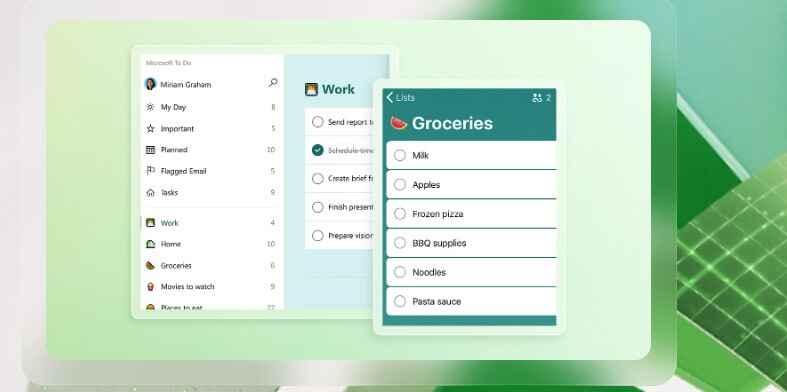
If your mind feels like a messy desk with papers scattered everywhere, Microsoft To Do can help you clear it. This app is one of the most reliable to-do list apps for personal use, offering a simple way to keep all your tasks in one place.
How It Helps
- Organize daily tasks: Create lists for work, home, personal goals, or errands.
- Set reminders: Never forget important tasks or deadlines.
- Visual simplicity: Tasks are cleanly displayed, so you see exactly what matters today.
Pros
- Completely free with all essential features
- Syncs across devices (phone, tablet, desktop)
- Integrates with Outlook and other Microsoft tools
- Simple interface, easy to use
Cons
- Limited customization for advanced users
- No built-in habit tracker
So, Every night, write just three tasks for tomorrow. Not ten. Not twenty. Focusing on a few important tasks keeps your day manageable and reduces stress.
Who It’s Best For
- Students who need a simple task manager or notes taking app
- Professionals managing both work and personal tasks
- Anyone looking for free productivity apps for personal use that actually work
2.Loop Habit Tracker
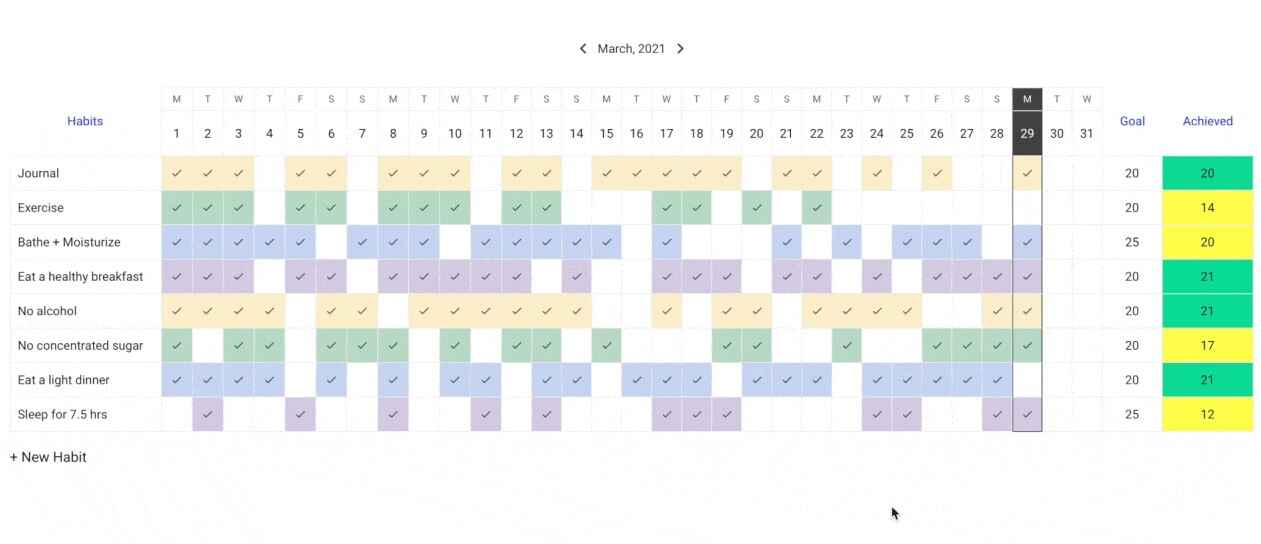
Building habits is like planting seeds results don’t appear overnight, but small, consistent actions grow into lasting change. Loop Habit Tracker is one of the most effective best productivity apps for personal use free that helps you turn daily routines into visible progress.
How It Helps
- Track daily habits: Whether it’s drinking enough water, reading, or walking, you can log any habit you want to build.
- Visual streaks: See how consistent you are with graphs and streaks, giving you motivation to keep going.
- Gentle reminders: Get notifications without pressure, so you don’t feel overwhelmed.
- Offline access: Track habits anytime, even without internet.
Pros
- Completely free with no hidden features
- Clean, minimal interface that’s easy to use
- Encourages long-term consistency
- Lightweight and fast
Cons
- No built-in calendar view for all habits
- Limited customization for advanced tracking
Start with one or two small habits at a time. For example, drink a glass of water in the morning and read 10 minutes. Tracking just two habits consistently is far more effective than starting ten at once.
Who It’s Best For
- Anyone struggling to build consistent routines
- Students or professionals wanting to track personal growth
- Users looking for free productivity apps for personal use that actually show results
3. Google Calendar
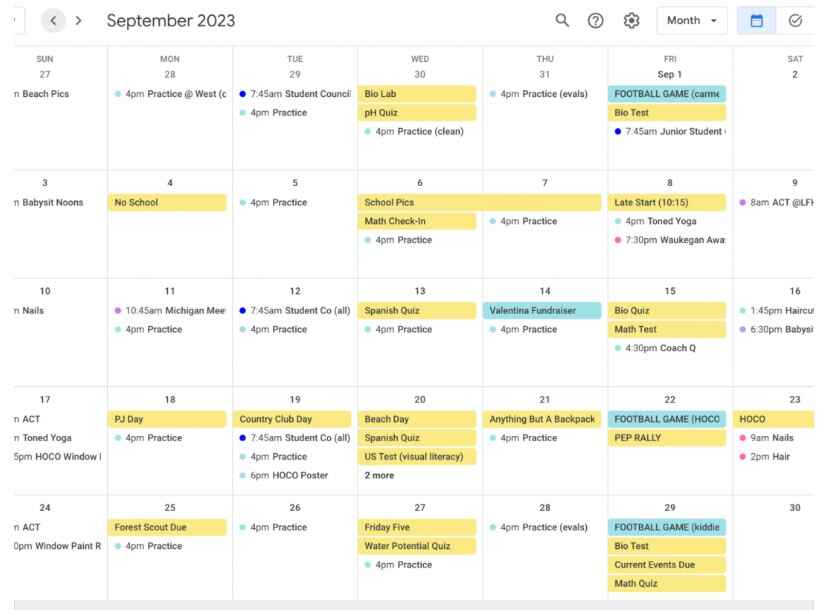
Google Calendar isn’t just a calendar it’s a mirror that shows you how your time is actually spent. It’s one of the most reliable best productivity apps for personal use free that helps you plan, organize, and take control of your day.
How It Helps
- Schedule your day: Add work, personal tasks, and appointments in one place.
- Set reminders: Never forget an important task or event.
- Time blocking: Allocate dedicated time for work, breaks, exercise, and personal goals.
- Recurring events: Easily manage daily or weekly routines without re-entering them.
Pros
- Completely free with powerful features
- Syncs across all devices (phone, tablet, desktop)
- Integrates with Gmail, Google Tasks, and other Google apps
- Custom notifications and color-coded events
Cons
- Can feel overwhelming if you over-schedule
- Limited habit-tracking features
Block 30 minutes every day just for yourself and label it “Me Time.” Treat it like an important meeting. This small habit helps you recharge and prevents burnout, even on your busiest days.
Who It’s Best For
- Anyone needing a free mobile app for time management
- Professionals managing multiple meetings or deadlines
- Students balancing classes, assignments, and personal goals
4.Forest
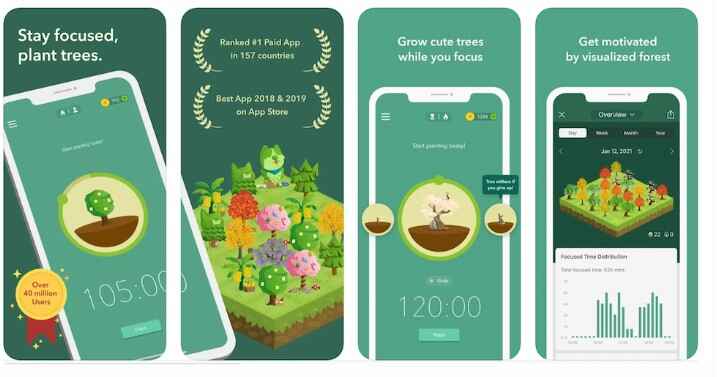
If you struggle with distractions and find yourself constantly checking your phone, Forest is a fun and effective solution. It’s one of the best productivity apps for personal use free that helps you stay focused without feeling like a chore.
How It Works
- Plant a virtual tree: Every time you start a focus session, you plant a tree in the app.
- Stay focused: If you leave the app to check social media or messages, your tree dies.
- Grow your forest: The longer you focus, the bigger your forest grows, giving you a visual record of your progress.
Pros
- Gamifies focus, making it motivating and fun
- Encourages longer focus sessions naturally
- Tracks your focused hours over time
- Lightweight and easy to use
Cons
- Limited task management features (it’s focused only on concentration)
- Some advanced features require in-app purchase
So, it Starts with 25-minute focus sessions, then take a 5-minute break. Watching your forest grow creates a small sense of achievement and helps you resist phone distractions.
Who It’s Best For
- Students or professionals easily distracted by notifications
- Anyone trying to build better focus habits
- Users searching for free productivity apps for personal use that improve concentration
5. Trello
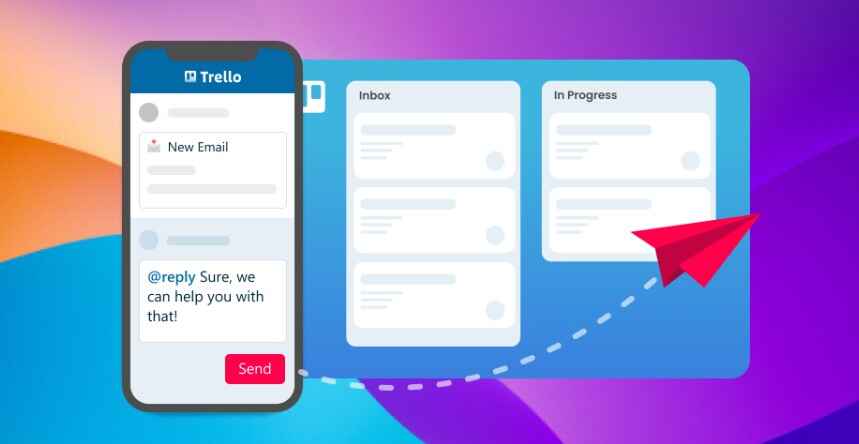
If you love seeing your plans laid out visually, Trello is like having digital sticky notes on a board. It’s one of the most effective best productivity apps for personal use free for organizing tasks, projects, and goals in a way that’s clear and satisfying.
How It Helps
- Create boards for goals: Separate personal, work, or study projects into individual boards.
- Move tasks from “To Do” to “Done”: Track your progress visually as you complete tasks.
- Organize with lists and cards: Add deadlines, checklists, attachments, and labels to stay organized.
Pros
- Highly visual and intuitive interface
- Flexible for personal or professional use
- Free version includes most features you need
- Easy collaboration if you want to share boards with others
Cons
- Can feel overwhelming if you create too many boards
- Limited advanced reporting in the free version
It Starts with one board for your daily tasks and one for weekly goals. Move tasks to “Done” as you complete them it’s surprisingly motivating to see your progress grow visually.
Who It’s Best For
- People who prefer visual task management
- Students or professionals managing multiple projects
- Anyone looking for free productivity apps for personal use that turn planning into action
How to Build a Simple Daily Productivity System?
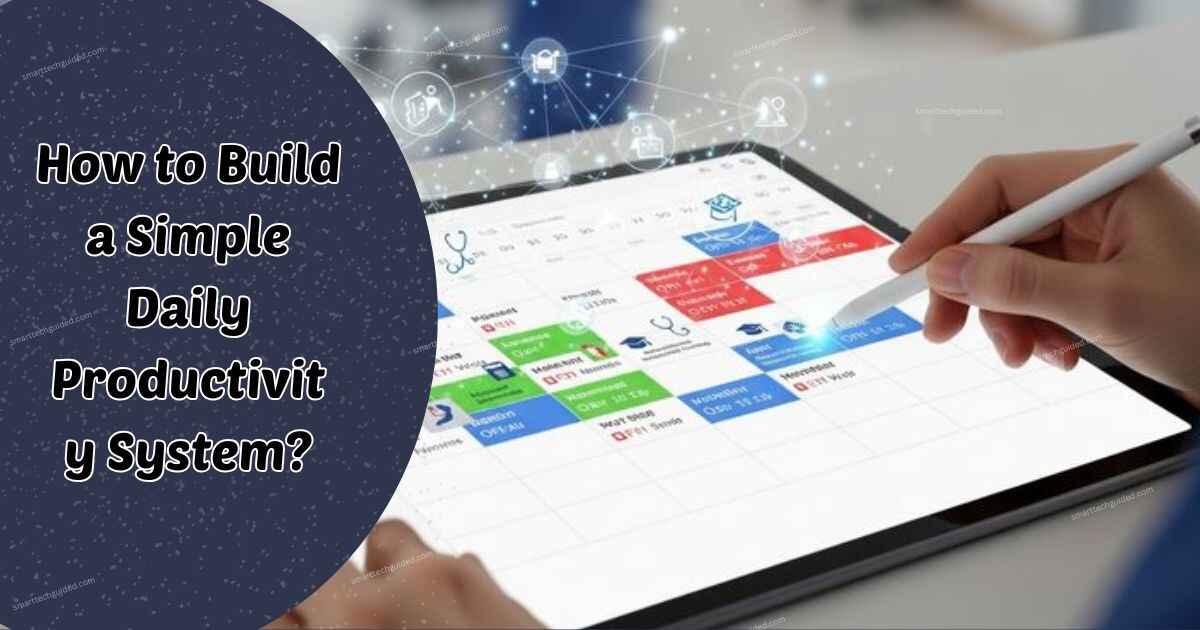
You don’t need ten apps to get organized. What you need is a small, reliable system you can actually stick with. Using just a few well-chosen tools, you can plan your day, stay focused, and end each night with a sense of accomplishment. Here’s a simple setup using three of the best productivity apps for personal use free:
1. Morning Planning: Start Your Day with Clarity
App: Microsoft To Do
- Write 3 main tasks for the day
- Add 1 personal goal
- Set reminders for important deadlines
Starting small keeps your day realistic and prevents overwhelm. You’ll know exactly what matters most before your day even begins.
2. Focus and Work Time: Stay on Track
App: Forest
- Work in 25-minute focused sessions
- Take 5-minute breaks
- Repeat for multiple sessions
By magnifying focus, Forest helps you resist distractions and turn work into a satisfying, visible achievement.
3. Evening Review: Reflect and Prepare
App: Google Calendar or Notion
- Check what you finished today
- Move unfinished tasks to tomorrow
- Plan for the next day
This final step helps you end your day with clarity instead of chaos. Seeing your progress even small wins keeps you motivated and confident.
Benefits of Using Free Productivity Apps for Personal Use
Many people assume productivity is about doing more but the real benefit is feeling in control of your day. The right apps don’t push you to work harder; they help you work smarter, reduce stress, and focus on what truly matters. Here’s what you can expect when you start using free productivity apps for personal use:
- Less mental clutter – Your tasks, goals, and reminders are organized in one place, freeing your mind.
- Better focus – With reminders, time blocks, and habit trackers, distractions fade away.
- More time for yourself – When your day is planned, you actually find pockets of free time.
- Fewer forgotten tasks – Daily lists and reminders keep important things from slipping through the cracks.
- Clearer goals – Seeing your progress visually or through checklists helps you prioritize what matters.
Over time, these small, consistent changes do more than improve your schedule they build confidence. You move from constantly reacting to life to leading your day with purpose, making each moment count.
Common Mistakes People Make with Productivity Apps
Even the best productivity apps for personal use free won’t help if they’re used the wrong way. Here are the most common pitfalls—and how to avoid them.
- Downloading Too Many Apps – It’s easy to think more apps = more productivity. But in reality, it often creates confusion and clutter. Stick to a few essential tools that actually fit your routine. Quality beats quantity every time.
- Planning Without Action – A beautifully organized plan is useless if you never follow through. Even five minutes of focused action today is more effective than an hour spent planning without doing anything. Remember, productivity apps are tools to help you act, not just plan.
- Ignoring Notifications – Reminders are there for a reason. Turning them off is like ignoring your assistant. Let the app nudge you at the right time small prompts keep your tasks on track and prevent things from slipping through the cracks.
By avoiding these mistakes, you’ll get the most out of your productivity apps and actually see results in your daily life.
FAQs
Are free productivity apps really safe?
Yes! Most of the popular best productivity apps for personal use free take security and privacy seriously. They use strong encryption and safe data storage. Still, it’s always a good idea to check app permissions before installing to make sure you’re comfortable with what it can access.
Can I use these apps offline?
Absolutely. Many apps, like Google Keep, Microsoft To Do, and Loop Habit Tracker, let you work offline. You can add tasks, take notes, or track habits without internet, and the app will sync your data automatically when you’re back online.
Which app is best for beginners?
If you’re just getting started, Microsoft To Do and Google Calendar are the easiest and most effective choices. They’re simple to use, free, and cover most basic productivity needs, making them perfect for beginners who want a practical system that works every day.
Sum Up
Finding the best productivity apps for personal use free isn’t about doing everything perfectly. It’s about starting small one app, one habit, one goal and slowly turning your days into something lighter, clearer, and more in control. Don’t forget your digital safety! Back up important files so you can easily recover deleted files and folders if something ever goes wrong. Your time is precious treat it that way. Start small, celebrate each win, and watch how consistent habits transform your day.




Leave a Reply