
AR apps without headset make augmented reality accessible to everyone, even beginners. You don’t need expensive headsets or complex setups to explore immersive AR experiences. With just a smartphone, you can try free AR apps for gaming, fitness, navigation, education, and more. These phone based AR apps use built-in cameras and sensors to blend digital objects with the real world, creating interactive and engaging experiences.
Beginners especially benefit because AR apps without headset are easy to install, intuitive to use, and widely compatible across devices. They allow you to experiment, prototype, or simply explore AR content without technical barriers. This guide will show you how AR apps without headset work, highlight the best free options available, and provide tips on choosing apps that match your needs so you can enjoy augmented reality anytime, anywhere, without spending a fortune.
What Are Free AR Apps and How They Work
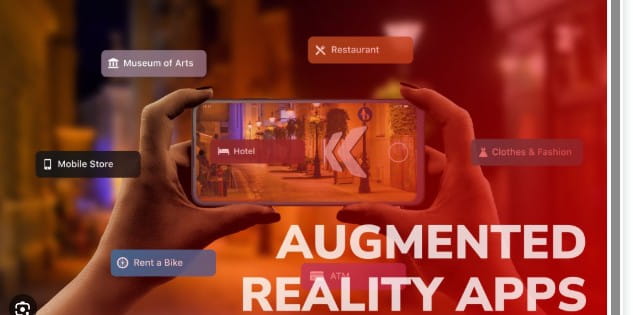
Free AR apps are applications that let anyone experience augmented reality without paying a dime. Unlike headset-based AR, these apps rely on phone-based AR technology, making them accessible and easy to use for beginners and casual users alike. AR apps without headset use advanced platforms like Apple ARKit apps and Google ARCore apps, which allow smartphones to detect surfaces, track motion, and respond to lighting conditions in real time. This technology creates realistic, interactive AR experiences directly on your device screen.
Free AR apps are especially popular because they remove traditional barriers anyone with a modern smartphone can explore gaming, education, fitness, or creative AR content without investing in expensive hardware. By using AR apps without headset, users can experiment, learn, and enjoy augmented reality anytime, anywhere, making these tools ideal for beginners and professionals looking for quick, practical AR solutions.
AR Apps Without Headset for Beginners
AR apps without headset are perfect for beginners who want to explore augmented reality without technical barriers. These free AR apps are easy to download, install, and start using immediately, making them accessible to anyone with a smartphone. Phone-based AR apps are designed with intuitive controls, clear instructions, and simple interfaces, allowing users to interact with AR content without confusion. Many focus on everyday tasks such as navigation, fitness, drawing, or gaming, rather than complex or technical AR experiences.
By removing complicated setups and equipment requirements, AR apps without headset give beginners a stress-free introduction to augmented reality. Users can experiment, learn, and enjoy AR content at their own pace, building confidence before exploring more advanced tools. These apps make AR practical, fun, and engaging for all skill levels, whether for personal use, education, or creative projects.
Why AR Apps Without Headsets Are Beginner Friendly
Free AR apps without headsets are perfect for first-time users because they offer intuitive, natural experiences. With simple controls and clear visuals, beginners can explore, interact, and enjoy augmented reality effortlessly, making these phone-based AR apps a convenient and engaging way to start learning and creating in AR.
Key reasons include:
- Simple touch-based controls
- No setup or calibration
- Clear visuals on phone screens
- Easy uninstall and updates
These free augmented reality apps help beginners learn AR basics without frustration.
Free AR Games and Location Based Experiences
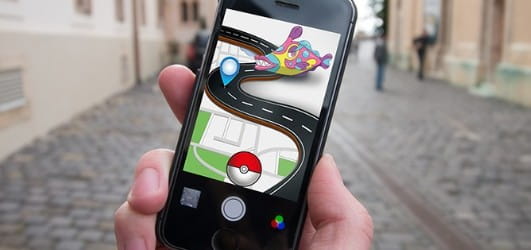
Gaming is one of the most popular uses of free AR apps without headsets. Many augmented reality games use real-world locations to create interactive and immersive experiences. Location-based AR games transform parks, streets, and landmarks into dynamic playgrounds, encouraging players to move, explore, and engage with their surroundings.
These AR outdoor games combine physical activity with digital challenges, making game play more exciting and interactive. By blending the real world with virtual elements, location-based AR apps provide unique entertainment, social interaction, and adventure for users of all ages, all without needing expensive AR headsets.
How Location Based AR Games Work
Location-based AR games use GPS and phone cameras to seamlessly merge game play with real-world environments. Players interact with virtual objects overlaid on streets, parks, and landmarks, creating immersive experiences that combine exploration, physical activity, and digital challenges for a fun and engaging AR adventure.
Common features include:
- Real-world map integration
- Interactive AR objects
- Physical movement rewards
- Social game play elements
These free AR apps show how AR can make everyday spaces more engaging.
Free AR Apps for Health, Fitness, and Yoga
Free AR apps support health and wellness by providing visual guidance for workouts. AR fitness apps and AR yoga apps help users track posture, movement, and form, making exercises safer and easier to follow. These AR health apps turn ordinary workouts into interactive, engaging, and effective sessions.
Benefits of Using AR Fitness Apps
AR fitness apps enhance workouts by displaying correct movements in real time. Users can follow visual cues for proper form, track progress, and adjust exercises instantly, making workouts safer, more effective, and engaging without the need for a personal trainer or expensive equipment.
Advantages include:
- Visual posture guidance: AR apps provide clear, real-time visual cues for correct posture during exercises, helping users maintain proper alignment, reduce injury risk, and improve the effectiveness of each workout session.
- At-home workout support: These apps allow users to follow guided exercises anywhere, offering interactive feedback and step-by-step instructions that make at-home fitness routines easier, safer, and more structured.
- Better form awareness: By highlighting precise movements and positions, AR fitness apps help users recognize and correct form errors, leading to more efficient training and better results over time.
- Increased motivation: Interactive AR elements, progress tracking, and gamified features make workouts engaging, encouraging users to stay consistent, challenge themselves, and achieve fitness goals with excitement.
Free AR apps for fitness are useful tools for healthy routines.
Navigation and Utility Free AR Apps

Free AR apps are great for navigation, as AR navigation apps overlay directions directly onto real streets. AR maps and AR walking directions help users reach destinations faster and more accurately. These AR apps without headset make exploring busy areas easier, reduce confusion, and provide a clear, interactive way to follow routes in real time.
How AR Navigation Apps Improve Directions
AR navigation apps enhance real-world navigation by overlaying arrows, signs, and markers directly onto live camera views. Instead of relying solely on maps, users can follow visual cues that guide them step by step through streets, buildings, or complex spaces.
These AR apps without headset make walking, driving, or exploring unfamiliar areas easier and safer, reducing confusion and ensuring you stay on the right path. By combining GPS, camera input, and augmented reality overlays, AR navigation apps turn ordinary directions into interactive, intuitive experiences that are easy to follow for anyone, from beginners to frequent travellers.
Benefits include:
- Clear walking directions
- Reduced map confusion
- Easy landmark recognition
- Better travel confidence
Free AR apps for navigation are practical for daily use.
ARKit and ARCore Apps Explained Simply
Most free AR apps rely on advanced ARKit and ARCore technology. Apple ARKit apps work seamlessly on iPhones, while Google ARCore apps are designed for Android devices. These platforms allow smartphones to understand surfaces, depth, motion, and lighting, making augmented reality experiences more realistic and interactive. Free AR apps built on ARKit and ARCore benefit from stability, accuracy, and smooth performance, ensuring that users can explore AR content without glitches or delays.
Knowing your device’s compatibility is essential when choosing the best AR apps for beginners, as it ensures full functionality and the best possible experience. Whether you’re trying AR navigation, gaming, fitness, or creative tools, understanding which platform your phone supports helps you select apps that are reliable and beginner-friendly. By focusing on ARKit or ARCore-supported apps, users get the most immersive and accessible augmented reality experience.
How to Choose the Best Free AR Apps
Choosing free AR apps depends on your goals. Some users prefer gaming and interactive fun, while others seek learning, fitness, or productivity tools. Identifying your purpose helps you select AR apps without headset that are engaging, practical, and suited to your interests, ensuring the best experience from the start.
Tips for choosing AR apps:
- Check phone compatibility
- Read user reviews
- Start with beginner-friendly apps
- Avoid apps with heavy ads
These steps help users enjoy free AR apps without issues.
Sum Up
Free AR apps make augmented reality accessible to everyone. With AR apps without headset support, users can enjoy immersive AR experiences using only a smartphone. From gaming and fitness to navigation, learning, and creative projects, these free augmented reality apps provide real value and convenience.
Platforms like Apple ARKit apps and Google ARCore apps ensure phone-based AR apps are stable, accurate, and beginner-friendly. For anyone looking to explore AR without spending money or buying additional hardware, free AR apps are the perfect starting point. They are simple to use, practical, and ready to deliver interactive experiences immediately.






Leave a Reply