

When teams choose a communication platform, one question often appears: which is better, Slack or Zoom? Both tools are widely used in modern workplaces, especially by remote teams and digital businesses. They help people stay connected, collaborate on projects, and hold meetings without needing to be in the same physical location.
However, Slack and Zoom are not designed for the same purpose. Slack focuses mainly on team messaging, collaboration, and organized communication channels. Zoom, on the other hand, is primarily built for video conferencing and online meetings. Because both tools offer communication features, many users compare them to decide which one fits their workflow best.
Understanding which is better, Slack or Zoom, depends on how your team works. Some teams need quick messaging, file sharing, and integrations with productivity tools. Others rely more on video meetings, webinars, and real-time presentations. In many cases, organizations use both platforms together to improve communication.
In this article, we will explore which is better, Slack or Zoom, by comparing their features, pricing, collaboration tools, and use cases. By the end, you will have a clearer idea of which platform works best for your team. Lets uncover the topic!
Which is better, Slack or Zoom, for Team Communication?
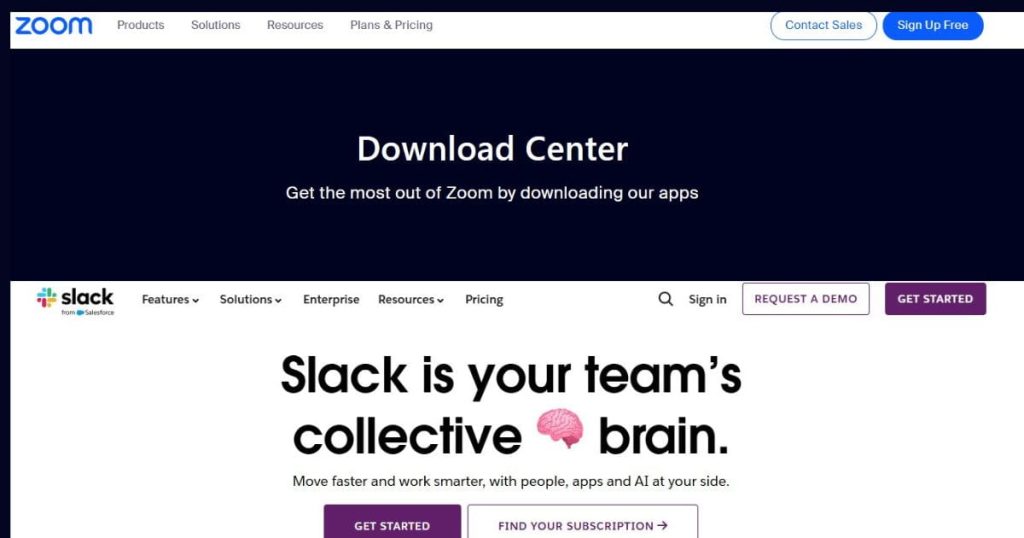
To understand which is better, Slack or Zoom, we first need to look at how both platforms support communication. Although both tools help teams stay connected, they approach communication in different ways.
Slack focuses on written communication through organized channels, while Zoom focuses on face-to-face communication through video meetings. Each approach has advantages depending on the needs of the team.
How Slack Supports Daily Team Collaboration:
Slack is designed to make team communication simple and organized. Instead of long email threads, teams can communicate through channels that are dedicated to specific projects, departments, or topics. One major advantage of Slack is that conversations remain searchable. Team members can quickly find older discussions, shared files, or important updates. This feature is very helpful when working on long-term projects where information needs to be revisited.
Slack also integrates with many other tools, such as Google Drive, Trello, and project management software. These integrations allow teams to manage tasks and share updates without leaving the platform. Because of this, many organizations choose Slack for daily communication.
How Zoom Helps Teams Communicate Through Meetings:
Zoom approaches communication from a different perspective. Instead of focusing on written messages, Zoom provides a platform for real-time video meetings. This makes it easier for teams to discuss complex topics and collaborate face-to-face.
Video meetings allow participants to see each other’s expressions and body language, which can improve understanding during discussions. Zoom also includes screen sharing, allowing presenters to show slides, documents, or software during meetings.
Another useful feature is meeting recording. Teams can record discussions and share them with members who were unable to attend. For organizations that hold regular meetings or training sessions, Zoom becomes an essential communication tool.
Which is better, Slack or Zoom, When Comparing Features?
Another way to evaluate which is better, Slack or Zoom, is by comparing their main features. Although both tools support communication, their feature sets are built for different types of collaboration.
Slack offers advanced messaging and workflow integration, while Zoom focuses on delivering high-quality video meetings and event hosting.
Slack Features That Improve Workplace Productivity:
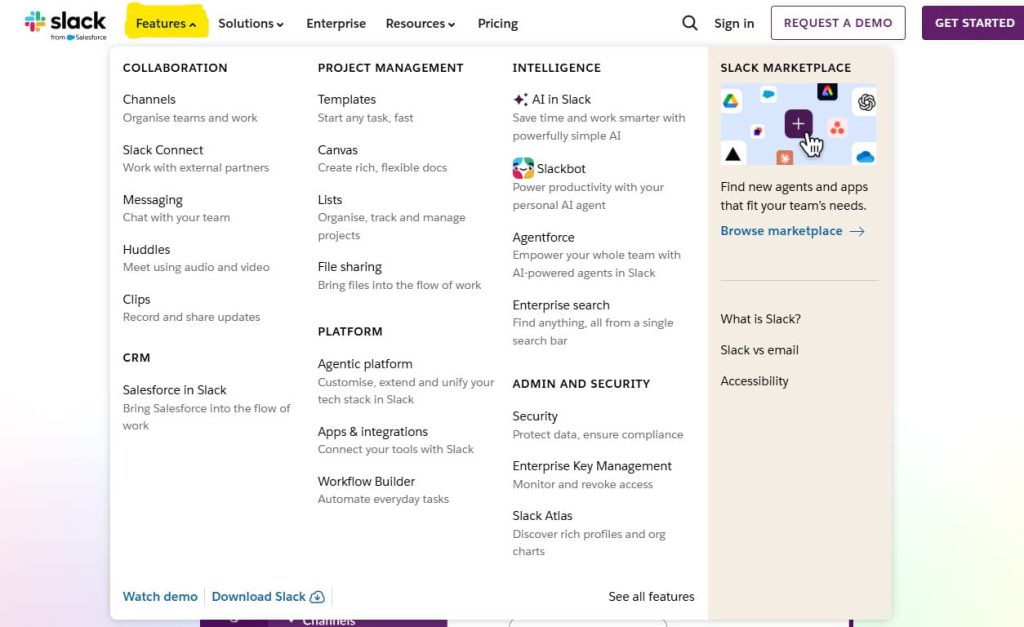
Slack includes several features that make daily communication easier. Channels help organize conversations, while threads allow users to respond directly to specific messages without interrupting the main discussion.
File sharing is also simple in Slack. Team members can upload documents, images, or links directly into conversations. These files remain accessible within the channel history, making it easy to locate them later.
Another powerful feature is automation through integrations. Slack connects with thousands of applications, allowing teams to automate notifications, project updates, and reminders. These integrations help reduce manual work and improve productivity.
Zoom Features Designed for Video Collaboration:
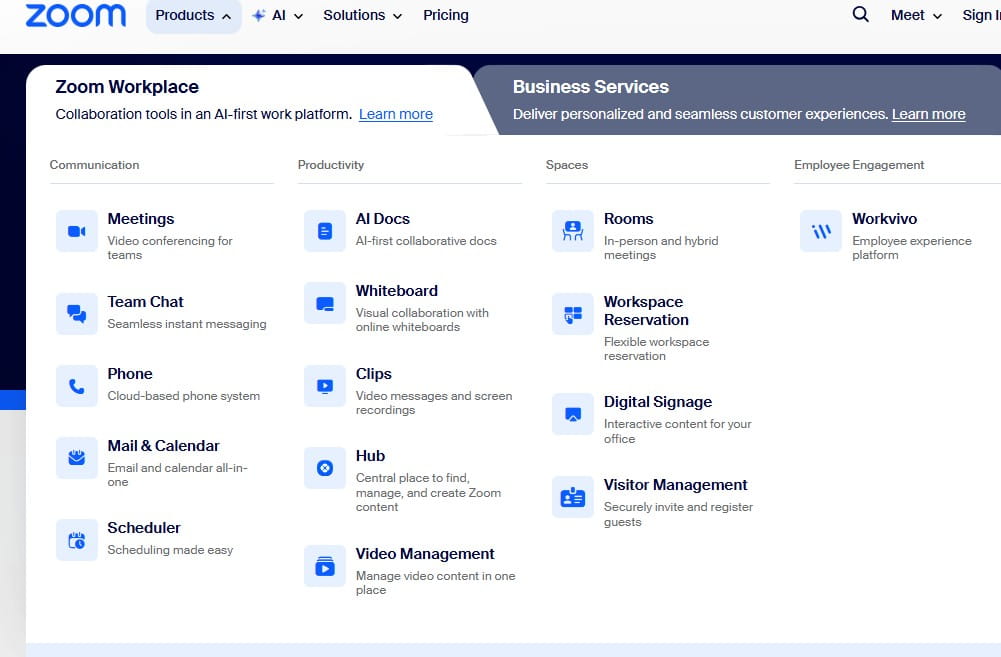
Zoom is widely known for its reliable video conferencing capabilities. The platform supports high-definition video meetings with many participants, making it suitable for both small teams and large organizations.
Screen sharing is one of Zoom’s most popular features. Presenters can display slides, documents, or applications during meetings, allowing participants to follow discussions more easily.
Zoom also offers breakout rooms, which allow hosts to divide participants into smaller groups. This feature is commonly used in training sessions, workshops, and educational settings where group discussions are necessary.
Which is better, Slack or Zoom for Remote Work?
Many companies ask which is better, Slack or Zoom, when building their remote work setup. Remote teams rely heavily on communication tools to coordinate work, share updates, and conduct meetings.
Both Slack and Zoom play important roles in remote work environments, but they serve different purposes.
When Slack Is the Better Choice for Remote Teams:
Slack is ideal for teams that communicate frequently throughout the day. Instead of scheduling multiple meetings, team members can quickly send messages or updates in relevant channels.
This type of communication reduces interruptions and allows people to respond when they are available. For teams working in different time zones, this asynchronous communication style is extremely helpful.
Slack also helps teams stay organized. Conversations are grouped by topic, which makes it easier to track project discussions and decisions. This level of organization is one reason many remote companies rely heavily on Slack.
When Zoom Is the Better Choice for Virtual Meetings:
Zoom becomes more valuable when teams need real-time interaction. Some discussions are easier when people can talk directly rather than typing messages. Video meetings also allow participants to ask questions and clarify ideas instantly.
Zoom is particularly useful for presentations, client meetings, and training sessions. The ability to share screens and record meetings makes it easier to communicate complex information.
For teams that hold frequent meetings or webinars, Zoom often becomes the primary communication platform.
Which is better, Slack or Zoom, in Terms of Pricing?
Pricing is another factor when deciding which is better, Slack or Zoom. Both platforms offer free versions, but their limitations are different.
Slack’s free plan allows messaging and channel communication, but it limits the number of stored messages and integrations. Paid plans unlock unlimited history and advanced security features.
Zoom also offers a free plan, but group meetings are limited to forty minutes. Businesses that require longer meetings typically upgrade to paid plans that remove this restriction.
Slack Pricing Plans Explained:
Slack offers different subscription tiers to suit teams of all sizes. Each plan provides a range of features, from basic messaging to advanced AI capabilities and enterprise-grade security. Choosing the right plan depends on your team’s size, collaboration needs, and desired functionality.
Here’s a clear breakdown of Slack’s pricing plans and features:

| Feature / Plan | Free | Pro | Business+ | Enterprise+ |
|---|---|---|---|---|
| Price (per user/month) | $0 | $4.38 (was $8.75) | $9 (was $18) | Contact Sales |
| Message History | 90 days | Unlimited | Unlimited | Unlimited |
| Integrations | Up to 10 apps | Unlimited | Unlimited | Unlimited |
| Meetings | 1:1 only | Group meetings | Group meetings | Group meetings |
| External Messaging | 1:1 only | Group | Group | Group |
| AI Capabilities | Basic | Basic | Advanced | Enterprise-grade |
| SSO / SAML | No | No | Yes | Yes (Multiple) |
| Slack AI Features | – | AI Conversation Summaries | Slackbot (Personal AI), AI Workflow Generation | Enterprise AI Features |
| Key Benefit | Free collaboration | Affordable unlimited messaging & meetings | Best value with advanced AI & security | Full enterprise features & control |
Why the Slack Business+ Plan Is Considered the Best Value?
The Business+ plan stands out as the best value for most growing teams. It includes:
- Advanced AI capabilities like Slackbot, personal AI, and workflow generation to automate tasks.
- Unlimited message history, making it easy to track conversations across teams.
- Enhanced security features, including SAML-based single sign-on and SCIM user management.
- Group meetings and integrations with unlimited apps for smoother collaboration.
Benefits: Teams get a balance of cost, functionality, and AI-powered productivity tools, making workflows easier and faster.
Who Should Choose It: Small to medium-sized teams that want more than the basic features, need automation tools, and prioritize security without committing to enterprise pricing.
Who Should Choose Slack Pro or Enterprise+ Plans?
- Pro Plan: Ideal for startups or small teams that want unlimited messaging, group meetings, and AI conversation summaries at an affordable price.
- Enterprise+ Plan: Suited for large organizations requiring enterprise-grade security, multiple SSO options, advanced AI, and full administrative controls.
By understanding your team’s needs and growth plans, you can pick the plan that balances cost, collaboration, and productivity.
Zoom Pricing Plans Explained:
Zoom offers multiple subscription tiers to accommodate teams of all sizes. Each plan is designed with different limits on meetings, participants, cloud storage, and AI-powered productivity features. Choosing the right plan depends on your organization’s communication needs, meeting frequency, and team size.
Here’s a detailed breakdown of Zoom’s 2026 pricing tiers:

| Feature / Plan | Basic (Free) | Pro | Business | Enterprise |
|---|---|---|---|---|
| Annual Price | $0 | $14.16/yr ($13.33/mo) | $18.33/yr ($18.33/mo) | Enterprise Talk to us |
| Monthly Price | $0 | $14.16/mo | $18.33/mo | Custom |
| Meeting Limit | 40 min | 30 hours | 30 hours | 30 hours |
| Participants | 100 | 100 | 300 | 1,000+ |
| Cloud Storage | Local only | 10 GB | 10 GB | Unlimited |
| AI Companion | Limited | Full Access | Enhanced | Full Suite |
| Zoom Docs | 10 docs | Unlimited | Unlimited | Unlimited |
| Clips | 5 short videos | Unlimited | Unlimited | Unlimited |
| Security / Admin | Basic self-help | Live chat | SSO & Managed Domains | Dedicated Customer Success |
| Branding | – | – | Add logos | Add logos & customization |
| Notable Add-ons | Large Meetings, Zoom Phone, Translation Subtitles, Custom AI Companion | Same | Same | Same |
Why Zoom Pro or Business Plans Are Valuable?
Zoom’s paid plans unlock unlimited meeting durations, cloud storage, and AI-powered features such as note-taking, meeting summaries, and task generation.
Benefits:
- Conduct longer meetings without interruptions.
- Access AI tools to convert meeting discussions into actionable tasks.
- Share unlimited docs and asynchronous video clips for better team collaboration.
- Strengthen security and branding for professional use.
Who Should Choose It:
- Pro Plan: Small teams or startups needing longer meetings and AI support.
- Business Plan: Medium-sized teams needing enhanced collaboration, SSO, and company branding.
- Enterprise Plan: Large organizations needing advanced admin controls, unlimited participants, and dedicated support.
Sum Up
After examining the features and use cases, answering which is better, Slack or Zoom, becomes easier. The truth is that both platforms serve different purposes and are often used together rather than as direct replacements.
Slack is best for daily communication, quick updates, and organized collaboration. It reduces reliance on email and helps teams stay connected throughout the workday.
Zoom, on the other hand, is best for meetings and presentations. Its video conferencing capabilities make it ideal for discussions that require real-time interaction.
Many organizations choose to combine both tools. Slack handles messaging and project communication, while Zoom supports meetings and presentations. This combination creates a balanced communication system that supports both written and face-to-face collaboration. Hope you guys find this guide well stay tuned for more updates!








Leave a Reply